Australia Brief
27-inch QHD monitor trend 2026: 10 exact office models compared
Australian 27-inch QHD listings can look alike while hiding major differences in USB-C power, stand adjustment, ports, webcam, colour, and refresh rate. The complete Australian SKU and retailer return terms matter as much as the panel.

By Julia MeyerLast updated 2026-07-10
Some price links may be affiliate links.
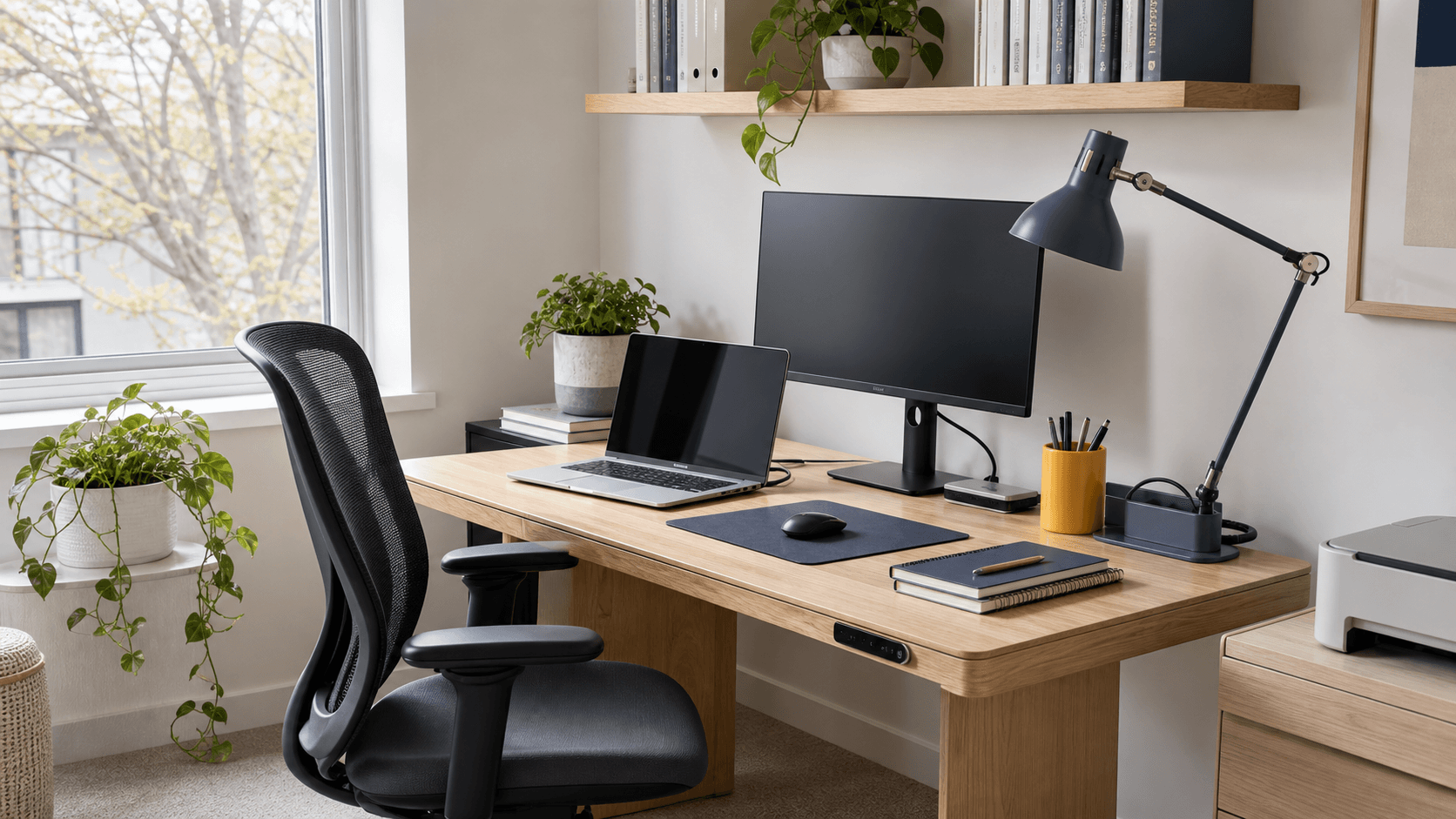
An Australian desk monitor has to manage heat, glare, and one-cable work
Bright rooms and compact work areas make anti-glare finish, stand movement, USB-C charging, and screen placement important. The Australian SKU, supplied power lead, delivery handling, and local large-item return path matter alongside the panel specification.
Window glare changes placementHeight, tilt, swivel, and a matte surface can make a bigger daily difference than a small colour-gamut advantage.
USB-C can remove a dockConfirm video support, charging wattage, downstream ports, Ethernet, and KVM before assuming one cable replaces every accessory.
Heat needs ventilationLeave airflow around the rear vents and power equipment rather than crowding the display against a wall.
Large-item returns need the boxKeep the fitted packaging until the panel, ports, stand, webcam, and supplied cables have been tested.
Confirm the complete Australian SKU and supplied 230V equipment before comparing a regional review or overseas listing.
Quick answer
For an Australian home office, prioritise anti-glare performance, stand adjustment, USB-C charging, the Australian SKU, and a practical local return. Place the screen for the brightest time of day before choosing by colour coverage or refresh rate. The directly comparable models include Philips 275B1/27, BenQ GW2790Q and LG 27QN600-B. For Australia, confirm the exact variant, included accessories, local warranty, and return terms.
Match the monitor to the Australian SKU
Compare USB-C power, ports, stand adjustment, complete model suffix, 230V equipment, Australian warranty, and returns before AUD price.
- Confirm that the Australian SKU has the same ports, stand, and USB-C power shown on the official specification page.
- Check the retailer's dead-pixel, delivery-damage, and opened-monitor conditions.
- Keep the box until the panel, stand, ports, cables, and webcam have been tested.
Where to check
Officeworks / JB Hi-FiUseful for Australian stock, AUD pricing, delivery-damage reporting, warranty details, and retailer-specific returns.
Official Australian brand storeBest for confirming the exact SKU, 230V equipment, ports, stand, included cables, and local warranty.
International orderAdd GST, import charges, power equipment, warranty territory, and return shipping before comparing the final cost.
Quick brief
All ten picks stay within one directly comparable product class.
Best ergonomic office monitor
Philips 275B1/27
Desktop office setups that prioritise stand adjustment and conventional inputs over USB-C docking.
Check current price
Best 100Hz office value
BenQ GW2790Q
Everyday office work where smoother 100Hz scrolling matters more than USB-C docking.
Check current price
Best straightforward QHD option
LG 27QN600-B
Desktop PCs and consoles that need an affordable QHD panel with several video inputs.
Check current price
Best value ergonomic QHD monitor
Acer CB272U E
Budget-conscious desks that still need a fully adjustable QHD IPS display
Check current price
Best IPS Black office monitor
Dell UltraSharp 27 Monitor U2724D
Colour-sensitive desk work that benefits from stronger contrast and a fully adjustable stand
Check current price
Best premium daisy-chain office display
EIZO FlexScan EV2795
FlexScan EV2795 suits buyers prioritising 27-inch 2560 x 1440 IPS office panel with automatic brightness control
Check current price
Best conventional business monitor
Lenovo ThinkVision P27q-30
Corporate desks that value a restrained design, ergonomic stand and broad colour coverage
Check current price
Best single-cable office hub
Samsung ViewFinity S6 S60UD 27-inch
Laptop desks that need display, charging, network and USB connections through one monitor
Check current price
Best all-in-one video-call dock
Philips 27B1U5601H/27
Hybrid workers who want one cable for display, charging, Ethernet, webcam, and desk peripherals.
Check current price
Best colour-managed USB-C option
ViewSonic ColorPro VP2756-2K
Photo, design and presentation work that needs a calibrated QHD workspace
Check current price
Before you buy
Does the model number and variant match the product in this comparison? Do the dimensions, performance, and included accessories suit the intended use? Are local warranty coverage, box contents, and return terms clear? Keep the serial number and packaging until setup and normal operation are confirmed. Keep the model code and purchase details until fit, setup and condition are confirmed in Australia.
Direct model comparison
The table keeps intended use, key specifications, and the first purchase check side by side.
1. Philips 275B1/27
Check current priceSpecs / fit
USB-C / QHD / IPS
Check first
275B1 + 27 · QHD · IPS
2. BenQ GW2790Q
Check current priceSpecs / fit
USB-C / QHD / IPS
Check first
GW2790Q · QHD · IPS
3. LG 27QN600-B
Check current priceSpecs / fit
USB-C / QHD / IPS
Check first
27QN600-B · QHD · IPS
4. Acer CB272U E
Check current priceSpecs / fit
IPS / 100Hz / QHD
Check first
UM.HB2AA.E05 · IPS · 100Hz
5. Dell UltraSharp 27 Monitor U2724D
Check current priceSpecs / fit
IPS / 120Hz / built-in safety protection
Check first
210-BKSF · IPS · 120Hz
6. EIZO FlexScan EV2795
Check current priceSpecs / fit
USB-C / IPS / built-in safety protection
Check first
EV2795-BK · IPS · USB-C
7. Lenovo ThinkVision P27q-30
Check current priceSpecs / fit
IPS / 75Hz / built-in safety protection
Check first
P27q-30 · IPS · 75Hz
8. Samsung ViewFinity S6 S60UD 27-inch
Check current priceSpecs / fit
USB-C / IPS / 100Hz
Check first
LS27D600UAUXXU · IPS · 100Hz
9. Philips 27B1U5601H/27
Check current priceSpecs / fit
USB-C / QHD / IPS
Check first
27B1U5601H + 27 · QHD · IPS
10. ViewSonic ColorPro VP2756-2K
Check current priceSpecs / fit
USB-C / IPS / 60W
Check first
VP2756-2K · IPS · USB-C
Confirm the complete model number, included accessories, and local warranty.
Product notes
Best ergonomic office monitor
1. Philips 275B1/27
Source review checked
Desktop office setups that prioritise stand adjustment and conventional inputs over USB-C docking.
Today's best routes
Seller route
Check current price
Retail route - 275B1/27 — PowerSensor / 27-inch QHD IPS productivity monitor / Full ergonomic stand. The concrete differentiator is Full ergonomic stand.
Warranty / return275B1/27 — PowerSensor / Full ergonomic stand / 27-inch QHD IPS productivity monitor. Long-term durability and local service are the main ownership risks.
Where to check275B1/27 — Full ergonomic stand / PowerSensor / 27-inch QHD IPS productivity monitor. Check PowerSensor against the way you plan to use it.
Specifications
- Product type
- 27-inch QHD IPS productivity monitor
- Region fit
- 275B1/27 — PowerSensor / 27-inch QHD IPS productivity monitor / Full ergonomic stand. The concrete differentiator is Full ergonomic stand.
- Return risk
- 275B1/27 — Full ergonomic stand / PowerSensor / 27-inch QHD IPS productivity monitor. Long-term durability and local service are the main ownership risks.
- Exact variant
- Philips 275B1/27 (275B1/27)
- Check first
- 275B1/27 · QHD · IPS
- Specs / fit
- QHD · IPS · USB-C
- Review clues
- There is no USB-C input or laptop charging. The PowerSensor benefit depends on seating position and calibration. The connection set includes DVI rather than newer docking features.
- Warranty / return
- 275B1/27 — PowerSensor / Full ergonomic stand / 27-inch QHD IPS productivity monitor. Long-term durability and local service are the main ownership risks.
Buyer notes
275B1/27 earns its place on the strength of Full ergonomic stand, with PowerSensor / 27-inch QHD IPS productivity monitor deciding whether the trade-off works.
Editor's verdict
The fully adjustable stand and PowerSensor suit a fixed office desk where USB-C charging is not required.
Reasons to buy
- Wide adjustment range
- Useful office sensor
- Several conventional inputs
Reasons to avoid
- No USB-C
- 75Hz maximum
- Older connection mix
What to check
- There is no USB-C input or laptop charging.
- The PowerSensor benefit depends on seating position and calibration.
- The connection set includes DVI rather than newer docking features.
Where to verify
Best 100Hz office value
2. BenQ GW2790Q
Source review checked
Everyday office work where smoother 100Hz scrolling matters more than USB-C docking.
Today's best routes
Seller route
Check current price
Retail route - GW2790Q — 100Hz · QHD IPS · 2 HDMI inputs / 27-inch QHD IPS productivity monitor / QHD. The concrete differentiator is QHD.
Warranty / returnGW2790Q — 100Hz · QHD IPS · 2 HDMI inputs / QHD / 27-inch QHD IPS productivity monitor. Long-term durability and local service are the main ownership risks.
Where to checkGW2790Q — QHD / 100Hz · QHD IPS · 2 HDMI inputs / 27-inch QHD IPS productivity monitor. Check 100Hz · QHD IPS · 2 HDMI inputs against the way you plan to use it.
Specifications
- Product type
- 27-inch QHD IPS productivity monitor
- Region fit
- GW2790Q — 100Hz · QHD IPS · 2 HDMI inputs / 27-inch QHD IPS productivity monitor / QHD. The concrete differentiator is QHD.
- Return risk
- GW2790Q — QHD / 100Hz · QHD IPS · 2 HDMI inputs / 27-inch QHD IPS productivity monitor. Long-term durability and local service are the main ownership risks.
- Exact variant
- BenQ GW2790Q (GW2790Q)
- Check first
- GW2790Q · QHD · IPS
- Specs / fit
- QHD · IPS · USB-C
- Review clues
- The included stand only tilts. There is no USB-C input or power delivery. Built-in speakers are convenient rather than a replacement for good external audio.
- Warranty / return
- GW2790Q — 100Hz · QHD IPS · 2 HDMI inputs / QHD / 27-inch QHD IPS productivity monitor. Long-term durability and local service are the main ownership risks.
Buyer notes
GW2790Q earns its place on the strength of QHD, with 100Hz · QHD IPS · 2 HDMI inputs / 27-inch QHD IPS productivity monitor deciding whether the trade-off works.
Editor's verdict
The 100Hz panel gives everyday motion a visible improvement while keeping the connection set simple.
Reasons to buy
- Smooth 100Hz desktop use
- Two HDMI ports
- Built-in speakers
Reasons to avoid
- No USB-C
- Tilt-only stand
- Basic audio
What to check
- The included stand only tilts.
- There is no USB-C input or power delivery.
- Built-in speakers are convenient rather than a replacement for good external audio.
Where to verify
Product infoBenQ GW2790Q product page
Best straightforward QHD option
3. LG 27QN600-B
Source review checked
Desktop PCs and consoles that need an affordable QHD panel with several video inputs.
Today's best routes
Seller route
Check current price
Retail route - 27QN600-B — QHD / 27-inch QHD IPS productivity monitor / QHD IPS · 75Hz · 2 HDMI inputs. The concrete differentiator is QHD IPS · 75Hz · 2 HDMI inputs.
Warranty / return27QN600-B — QHD / QHD IPS · 75Hz · 2 HDMI inputs / 27-inch QHD IPS productivity monitor. Long-term durability and local service are the main ownership risks.
Where to check27QN600-B — QHD IPS · 75Hz · 2 HDMI inputs / QHD / 27-inch QHD IPS productivity monitor. Check QHD against the way you plan to use it.
Specifications
- Product type
- 27-inch QHD IPS productivity monitor
- Region fit
- 27QN600-B — QHD / 27-inch QHD IPS productivity monitor / QHD IPS · 75Hz · 2 HDMI inputs. The concrete differentiator is QHD IPS · 75Hz · 2 HDMI inputs.
- Return risk
- 27QN600-B — QHD IPS · 75Hz · 2 HDMI inputs / QHD / 27-inch QHD IPS productivity monitor. Long-term durability and local service are the main ownership risks.
- Exact variant
- LG 27QN600-B (27QN600-B)
- Check first
- 27QN600-B · QHD · IPS
- Specs / fit
- QHD · IPS · USB-C
- Review clues
- There is no USB-C input or laptop charging. The included stand only tilts. A monitor arm adds cost if height adjustment is needed.
- Warranty / return
- 27QN600-B — QHD / QHD IPS · 75Hz · 2 HDMI inputs / 27-inch QHD IPS productivity monitor. Long-term durability and local service are the main ownership risks.
Buyer notes
27QN600-B earns its place on the strength of QHD IPS · 75Hz · 2 HDMI inputs, with QHD / 27-inch QHD IPS productivity monitor deciding whether the trade-off works.
Editor's verdict
It keeps the core QHD IPS display and two HDMI inputs without charging for USB-C or a complex stand.
Reasons to buy
- Simple connection set
- Good pixel density
- Two HDMI ports
Reasons to avoid
- No USB-C
- Tilt-only stand
- No USB hub
What to check
- There is no USB-C input or laptop charging.
- The included stand only tilts.
- A monitor arm adds cost if height adjustment is needed.
Where to verify
Product infoLG 27QN600-B product page
Best value ergonomic QHD monitor
4. Acer CB272U E
Source review checked
Budget-conscious desks that still need a fully adjustable QHD IPS display
Today's best routes
Seller route
Check current price
Retail route - CB272U E — Match part UM.HB2AA.E05 to Acer's local support terms / 27-inch QHD IPS productivity monitor / DisplayPort and HDMI with height, swivel, tilt and pivot adjustment. The concrete differentiator is DisplayPort and HDMI with height, swivel, tilt and pivot adjustment.
Warranty / returnCB272U E — Match part UM.HB2AA.E05 to Acer's local support terms / DisplayPort and HDMI with height, swivel, tilt and pivot adjustment / 27-inch QHD IPS productivity monitor. Long-term durability and local service are the main ownership risks.
Where to checkCB272U E — DisplayPort and HDMI with height, swivel, tilt and pivot adjustment / Match part UM.HB2AA.E05 to Acer's local support terms / 27-inch QHD IPS productivity monitor. Check Match part UM.HB2AA.E05 to Acer's local support terms against the way you plan to use it.
Specifications
- Product type
- 27-inch QHD IPS productivity monitor
- Region fit
- CB272U E — Match part UM.HB2AA.E05 to Acer's local support terms / 27-inch QHD IPS productivity monitor / DisplayPort and HDMI with height, swivel, tilt and pivot adjustment. The concrete differentiator is DisplayPort and HDMI with height, swivel, tilt and pivot adjustment.
- Return risk
- CB272U E — DisplayPort and HDMI with height, swivel, tilt and pivot adjustment / Match part UM.HB2AA.E05 to Acer's local support terms / 27-inch QHD IPS productivity monitor. A similar name can hide a different or incompatible version.
- Exact variant
- Acer CB272U E (UM.HB2AA.E05)
- Check first
- UM.HB2AA.E05 · IPS · 100Hz
- Specs / fit
- IPS · 100Hz · QHD
- Review clues
- No USB-C dock Part number varies by market Basic speaker output
- Warranty / return
- CB272U E — Match part UM.HB2AA.E05 to Acer's local support terms / DisplayPort and HDMI with height, swivel, tilt and pivot adjustment / 27-inch QHD IPS productivity monitor. Long-term durability and local service are the main ownership risks.
Buyer notes
CB272U E earns its place on the strength of DisplayPort and HDMI with height, swivel, tilt and pivot adjustment, with Match part UM.HB2AA.E05 to Acer's local support terms / 27-inch QHD IPS productivity monitor deciding whether the trade-off works.
Editor's verdict
CB272U E stands out for DisplayPort and HDMI with height, swivel, tilt and pivot adjustment; Match part UM.HB2AA.E05 to Acer's local support terms / 27-inch QHD IPS productivity monitor is the other useful point of comparison.
Reasons to buy
- 100Hz QHD IPS panel
- Fully adjustable stand
- Integrated speakers
Reasons to avoid
- Skip CB272U E if DisplayPort and HDMI with height, swivel, tilt and pivot adjustment does not suit the intended use. A similar name can hide a different or incompatible version; the concrete differentiator is Match part UM.HB2AA.E05 to Acer's local support terms / 27-inch QHD IPS productivity monitor.
- Skip CB272U E if Match part UM.HB2AA.E05 to Acer's local support terms does not suit the intended use. Included parts and accessories need a model-by-model check; the concrete differentiator is 27-inch 2560 x 1440 IPS panel with up to 100Hz refresh rate / 27-inch QHD IPS productivity monitor.
- Skip CB272U E if 27-inch 2560 x 1440 IPS panel with up to 100Hz refresh rate does not suit the intended use. Long-term durability and local service are the main ownership risks; the concrete differentiator is DisplayPort and HDMI with height, swivel, tilt and pivot adjustment / 27-inch QHD IPS productivity monitor.
What to check
- No USB-C dock
- Part number varies by market
- Basic speaker output
Where to verify
Best IPS Black office monitor
5. Dell UltraSharp 27 Monitor U2724D
Source review checked
Colour-sensitive desk work that benefits from stronger contrast and a fully adjustable stand
Today's best routes
Seller route
Check current price
Retail route - UltraSharp 27 Monitor U2724D — 27-inch 2560 x 1440 IPS Black panel with 120Hz refresh rate / 27-inch QHD IPS productivity monitor / 210-BKSF. The concrete differentiator is 210-BKSF.
Warranty / returnUltraSharp 27 Monitor U2724D — 27-inch 2560 x 1440 IPS Black panel with 120Hz refresh rate / 210-BKSF / 27-inch QHD IPS productivity monitor. Long-term durability and local service are the main ownership risks.
Where to checkUltraSharp 27 Monitor U2724D — 210-BKSF / 27-inch 2560 x 1440 IPS Black panel with 120Hz refresh rate / 27-inch QHD IPS productivity monitor. Check 27-inch 2560 x 1440 IPS Black panel with 120Hz refresh rate against the way you plan to use it.
Specifications
- Product type
- 27-inch QHD IPS productivity monitor
- Region fit
- UltraSharp 27 Monitor U2724D — 27-inch 2560 x 1440 IPS Black panel with 120Hz refresh rate / 27-inch QHD IPS productivity monitor / 210-BKSF. The concrete differentiator is 210-BKSF.
- Return risk
- UltraSharp 27 Monitor U2724D — 210-BKSF / 27-inch 2560 x 1440 IPS Black panel with 120Hz refresh rate / 27-inch QHD IPS productivity monitor. A similar name can hide a different or incompatible version.
- Exact variant
- Dell UltraSharp 27 Monitor U2724D (210-BKSF)
- Check first
- 210-BKSF · IPS · 120Hz
- Specs / fit
- IPS · 120Hz · built-in safety protection
- Review clues
- No USB-C power delivery Premium office-monitor price No built-in speakers
- Warranty / return
- UltraSharp 27 Monitor U2724D — 27-inch 2560 x 1440 IPS Black panel with 120Hz refresh rate / 210-BKSF / 27-inch QHD IPS productivity monitor. Long-term durability and local service are the main ownership risks.
Buyer notes
UltraSharp 27 Monitor U2724D earns its place on the strength of 210-BKSF, with 27-inch 2560 x 1440 IPS Black panel with 120Hz refresh rate / 27-inch QHD IPS productivity monitor deciding whether the trade-off works.
Editor's verdict
UltraSharp 27 Monitor U2724D stands out for 210-BKSF; 27-inch 2560 x 1440 IPS Black panel with 120Hz refresh rate / 27-inch QHD IPS productivity monitor is the other useful point of comparison.
Reasons to buy
- IPS Black contrast
- 120Hz refresh rate
- Fully adjustable stand
Reasons to avoid
- Skip UltraSharp 27 Monitor U2724D if Confirm Dell warranty coverage for part 210-BKSF in the purchase market does not suit the intended use. A similar name can hide a different or incompatible version; the concrete differentiator is 210-BKSF / 27-inch QHD IPS productivity monitor.
- Skip UltraSharp 27 Monitor U2724D if 210-BKSF does not suit the intended use. Included parts and accessories need a model-by-model check; the concrete differentiator is 27-inch 2560 x 1440 IPS Black panel with 120Hz refresh rate / 27-inch QHD IPS productivity monitor.
- Skip UltraSharp 27 Monitor U2724D if 27-inch 2560 x 1440 IPS Black panel with 120Hz refresh rate does not suit the intended use. Long-term durability and local service are the main ownership risks; the concrete differentiator is Confirm Dell warranty coverage for part 210-BKSF in the purchase market / 27-inch QHD IPS productivity monitor.
What to check
- UltraSharp 27 Monitor U2724D — 27-inch 2560 x 1440 IPS Black panel with 120Hz refresh rate: Long-term durability and local service are the main ownership risks; check Confirm Dell warranty coverage for part 210-BKSF in the purchase market / 210-BKSF / 27-inch QHD IPS productivity monitor against the way you plan to use it.
- UltraSharp 27 Monitor U2724D — Confirm Dell warranty coverage for part 210-BKSF in the purchase market: A similar name can hide a different or incompatible version; check 27-inch 2560 x 1440 IPS Black panel with 120Hz refresh rate / 27-inch QHD IPS productivity monitor against the way you plan to use it.
- UltraSharp 27 Monitor U2724D — 210-BKSF: Included parts and accessories need a model-by-model check; check 27-inch 2560 x 1440 IPS Black panel with 120Hz refresh rate / 27-inch QHD IPS productivity monitor against the way you plan to use it.
Best premium daisy-chain office display
6. EIZO FlexScan EV2795
Source review checked
FlexScan EV2795 suits buyers prioritising 27-inch 2560 x 1440 IPS office panel with automatic brightness control and EV2795-BK / 27-inch QHD IPS productivity monitor.
Today's best routes
Seller route
Check current price
Retail route - FlexScan EV2795 — EV2795-BK / 27-inch QHD IPS productivity monitor / 27-inch 2560 x 1440 IPS office panel with automatic brightness control. The concrete differentiator is 27-inch 2560 x 1440 IPS office panel with automatic brightness control.
Warranty / returnFlexScan EV2795 — EV2795-BK / 27-inch 2560 x 1440 IPS office panel with automatic brightness control / 27-inch QHD IPS productivity monitor. Long-term durability and local service are the main ownership risks.
Where to checkFlexScan EV2795 — 27-inch 2560 x 1440 IPS office panel with automatic brightness control / EV2795-BK / 27-inch QHD IPS productivity monitor. Check EV2795-BK against the way you plan to use it.
Specifications
- Product type
- 27-inch QHD IPS productivity monitor
- Region fit
- FlexScan EV2795 — EV2795-BK / 27-inch QHD IPS productivity monitor / 27-inch 2560 x 1440 IPS office panel with automatic brightness control. The concrete differentiator is 27-inch 2560 x 1440 IPS office panel with automatic brightness control.
- Return risk
- FlexScan EV2795 — 27-inch 2560 x 1440 IPS office panel with automatic brightness control / EV2795-BK / 27-inch QHD IPS productivity monitor. A similar name can hide a different or incompatible version.
- Exact variant
- EIZO FlexScan EV2795 (EV2795-BK)
- Check first
- EV2795-BK · IPS · USB-C
- Specs / fit
- IPS · USB-C · built-in safety protection
- Review clues
- Premium price 60Hz panel Regional colour suffix must match
- Warranty / return
- FlexScan EV2795 — EV2795-BK / 27-inch 2560 x 1440 IPS office panel with automatic brightness control / 27-inch QHD IPS productivity monitor. Long-term durability and local service are the main ownership risks.
Buyer notes
FlexScan EV2795 earns its place on the strength of 27-inch 2560 x 1440 IPS office panel with automatic brightness control, with EV2795-BK / 27-inch QHD IPS productivity monitor deciding whether the trade-off works.
Editor's verdict
FlexScan EV2795 stands out for 27-inch 2560 x 1440 IPS office panel with automatic brightness control; EV2795-BK / 27-inch QHD IPS productivity monitor is the other useful point of comparison.
Reasons to buy
- USB-C and LAN dock
- DisplayPort daisy chain
- Five-year listed warranty
Reasons to avoid
- Skip FlexScan EV2795 if EV2795-BK does not suit the intended use. A similar name can hide a different or incompatible version; the concrete differentiator is IPS / 27-inch QHD IPS productivity monitor.
- Skip FlexScan EV2795 if IPS does not suit the intended use. Included parts and accessories need a model-by-model check; the concrete differentiator is 27-inch 2560 x 1440 IPS office panel with automatic brightness control / 27-inch QHD IPS productivity monitor.
- Skip FlexScan EV2795 if 27-inch 2560 x 1440 IPS office panel with automatic brightness control does not suit the intended use. Long-term durability and local service are the main ownership risks; the concrete differentiator is EV2795-BK / 27-inch QHD IPS productivity monitor.
What to check
- Premium price
- 60Hz panel
- Regional colour suffix must match
Where to verify
Best conventional business monitor
7. Lenovo ThinkVision P27q-30
Source review checked
Corporate desks that value a restrained design, ergonomic stand and broad colour coverage
Today's best routes
Seller route
Check current price
Retail route - ThinkVision P27q-30 — P27q-30 / 27-inch QHD IPS productivity monitor / Check the Lenovo machine type and local warranty attached to P27q-30. The concrete differentiator is Check the Lenovo machine type and local warranty attached to P27q-30.
Warranty / returnThinkVision P27q-30 — P27q-30 / Check the Lenovo machine type and local warranty attached to P27q-30 / 27-inch QHD IPS productivity monitor. Long-term durability and local service are the main ownership risks.
Where to checkThinkVision P27q-30 — Check the Lenovo machine type and local warranty attached to P27q-30 / P27q-30 / 27-inch QHD IPS productivity monitor. Check P27q-30 against the way you plan to use it.
Specifications
- Product type
- 27-inch QHD IPS productivity monitor
- Region fit
- ThinkVision P27q-30 — P27q-30 / 27-inch QHD IPS productivity monitor / Check the Lenovo machine type and local warranty attached to P27q-30. The concrete differentiator is Check the Lenovo machine type and local warranty attached to P27q-30.
- Return risk
- ThinkVision P27q-30 — Check the Lenovo machine type and local warranty attached to P27q-30 / P27q-30 / 27-inch QHD IPS productivity monitor. A similar name can hide a different or incompatible version.
- Exact variant
- Lenovo ThinkVision P27q-30 (P27q-30)
- Check first
- P27q-30 · IPS · 75Hz
- Specs / fit
- IPS · 75Hz · built-in safety protection
- Review clues
- 75Hz maximum refresh No USB-C charging Model availability varies by region
- Warranty / return
- ThinkVision P27q-30 — P27q-30 / Check the Lenovo machine type and local warranty attached to P27q-30 / 27-inch QHD IPS productivity monitor. Long-term durability and local service are the main ownership risks.
Buyer notes
ThinkVision P27q-30 earns its place on the strength of Check the Lenovo machine type and local warranty attached to P27q-30, with P27q-30 / 27-inch QHD IPS productivity monitor deciding whether the trade-off works.
Editor's verdict
ThinkVision P27q-30 stands out for Check the Lenovo machine type and local warranty attached to P27q-30; P27q-30 / 27-inch QHD IPS productivity monitor is the other useful point of comparison.
Reasons to buy
- 99% sRGB specification
- Ergonomic stand
- Four-side narrow bezel
Reasons to avoid
- Skip ThinkVision P27q-30 if Check the Lenovo machine type and local warranty attached to P27q-30 does not suit the intended use. A similar name can hide a different or incompatible version; the concrete differentiator is P27q-30 / 27-inch QHD IPS productivity monitor.
- Skip ThinkVision P27q-30 if P27q-30 does not suit the intended use. Included parts and accessories need a model-by-model check; the concrete differentiator is 27-inch 2560 x 1440 IPS panel with up to 75Hz refresh and 350-nit brightness / 27-inch QHD IPS productivity monitor.
- Skip ThinkVision P27q-30 if 27-inch 2560 x 1440 IPS panel with up to 75Hz refresh and 350-nit brightness does not suit the intended use. Long-term durability and local service are the main ownership risks; the concrete differentiator is Check the Lenovo machine type and local warranty attached to P27q-30 / 27-inch QHD IPS productivity monitor.
What to check
- 75Hz maximum refresh
- No USB-C charging
- Model availability varies by region
Where to verify
Best single-cable office hub
8. Samsung ViewFinity S6 S60UD 27-inch
Source review checked
Laptop desks that need display, charging, network and USB connections through one monitor
Today's best routes
Seller route
Check current price
Retail route - ViewFinity S6 S60UD 27-inch — 27-inch 2560 x 1440 IPS panel with 100Hz refresh rate / 27-inch QHD IPS productivity monitor / LS27D600UAUXXU. The concrete differentiator is LS27D600UAUXXU.
Warranty / returnViewFinity S6 S60UD 27-inch — 27-inch 2560 x 1440 IPS panel with 100Hz refresh rate / LS27D600UAUXXU / 27-inch QHD IPS productivity monitor. Long-term durability and local service are the main ownership risks.
Where to checkViewFinity S6 S60UD 27-inch — LS27D600UAUXXU / 27-inch 2560 x 1440 IPS panel with 100Hz refresh rate / 27-inch QHD IPS productivity monitor. Check 27-inch 2560 x 1440 IPS panel with 100Hz refresh rate against the way you plan to use it.
Specifications
- Product type
- 27-inch QHD IPS productivity monitor
- Region fit
- ViewFinity S6 S60UD 27-inch — 27-inch 2560 x 1440 IPS panel with 100Hz refresh rate / 27-inch QHD IPS productivity monitor / LS27D600UAUXXU. The concrete differentiator is LS27D600UAUXXU.
- Return risk
- ViewFinity S6 S60UD 27-inch — LS27D600UAUXXU / 27-inch 2560 x 1440 IPS panel with 100Hz refresh rate / 27-inch QHD IPS productivity monitor. Long-term durability and local service are the main ownership risks.
- Exact variant
- Samsung ViewFinity S6 S60UD 27-inch (LS27D600UAUXXU)
- Check first
- LS27D600UAUXXU · IPS · 100Hz
- Specs / fit
- IPS · 100Hz · USB-C
- Review clues
- Exact regional suffix matters USB-C cable capability must match No wide-gamut creator focus
- Warranty / return
- ViewFinity S6 S60UD 27-inch — 27-inch 2560 x 1440 IPS panel with 100Hz refresh rate / LS27D600UAUXXU / 27-inch QHD IPS productivity monitor. Long-term durability and local service are the main ownership risks.
Buyer notes
ViewFinity S6 S60UD 27-inch earns its place on the strength of LS27D600UAUXXU, with 27-inch 2560 x 1440 IPS panel with 100Hz refresh rate / 27-inch QHD IPS productivity monitor deciding whether the trade-off works.
Editor's verdict
USB-C docking, LAN and a 100Hz QHD panel reduce desk clutter without giving up ergonomic adjustment.
Reasons to buy
- USB-C docking
- Built-in LAN
- 100Hz QHD IPS panel
Reasons to avoid
- Skip ViewFinity S6 S60UD 27-inch if Match LS27D600UAUXXU to Samsung's local warranty territory before ordering does not suit the intended use. Long-term durability and local service are the main ownership risks; the concrete differentiator is LS27D600UAUXXU / 27-inch QHD IPS productivity monitor.
- Skip ViewFinity S6 S60UD 27-inch if LS27D600UAUXXU does not suit the intended use. A similar name can hide a different or incompatible version; the concrete differentiator is 27-inch 2560 x 1440 IPS panel with 100Hz refresh rate / 27-inch QHD IPS productivity monitor.
- Skip ViewFinity S6 S60UD 27-inch if 27-inch 2560 x 1440 IPS panel with 100Hz refresh rate does not suit the intended use. Included parts and accessories need a model-by-model check; the concrete differentiator is Match LS27D600UAUXXU to Samsung's local warranty territory before ordering / 27-inch QHD IPS productivity monitor.
What to check
- ViewFinity S6 S60UD 27-inch — 27-inch 2560 x 1440 IPS panel with 100Hz refresh rate: Included parts and accessories need a model-by-model check; check Match LS27D600UAUXXU to Samsung's local warranty territory before ordering / LS27D600UAUXXU / 27-inch QHD IPS productivity monitor against the way you plan to use it.
- ViewFinity S6 S60UD 27-inch — Match LS27D600UAUXXU to Samsung's local warranty territory before ordering: Long-term durability and local service are the main ownership risks; check 27-inch 2560 x 1440 IPS panel with 100Hz refresh rate / 27-inch QHD IPS productivity monitor against the way you plan to use it.
- ViewFinity S6 S60UD 27-inch — LS27D600UAUXXU: A similar name can hide a different or incompatible version; check 27-inch 2560 x 1440 IPS panel with 100Hz refresh rate / 27-inch QHD IPS productivity monitor against the way you plan to use it.
Best all-in-one video-call dock
9. Philips 27B1U5601H/27
Source review checked
Hybrid workers who want one cable for display, charging, Ethernet, webcam, and desk peripherals.
Today's best routes
Seller route
Check current price
Retail route - 27B1U5601H/27 — USB-C 100W / 27-inch QHD IPS productivity monitor / USB-C 100W · RJ45 and webcam · DisplayPort output. The concrete differentiator is USB-C 100W · RJ45 and webcam · DisplayPort output.
Warranty / return27B1U5601H/27 — USB-C 100W / USB-C 100W · RJ45 and webcam · DisplayPort output / 27-inch QHD IPS productivity monitor. Long-term durability and local service are the main ownership risks.
Where to check27B1U5601H/27 — USB-C 100W · RJ45 and webcam · DisplayPort output / USB-C 100W / 27-inch QHD IPS productivity monitor. Check USB-C 100W against the way you plan to use it.
Specifications
- Product type
- 27-inch QHD IPS productivity monitor
- Region fit
- 27B1U5601H/27 — USB-C 100W / 27-inch QHD IPS productivity monitor / USB-C 100W · RJ45 and webcam · DisplayPort output. The concrete differentiator is USB-C 100W · RJ45 and webcam · DisplayPort output.
- Return risk
- 27B1U5601H/27 — USB-C 100W · RJ45 and webcam · DisplayPort output / USB-C 100W / 27-inch QHD IPS productivity monitor. Long-term durability and local service are the main ownership risks.
- Exact variant
- Philips 27B1U5601H/27 (27B1U5601H/27)
- Check first
- 27B1U5601H/27 · QHD · IPS
- Specs / fit
- QHD · IPS · USB-C
- Review clues
- Integrated webcam quality may not match a dedicated camera. The feature-heavy design costs more than a simple QHD panel. Dock compatibility should be checked against the laptop's USB-C capabilities.
- Warranty / return
- 27B1U5601H/27 — USB-C 100W / USB-C 100W · RJ45 and webcam · DisplayPort output / 27-inch QHD IPS productivity monitor. Long-term durability and local service are the main ownership risks.
Buyer notes
27B1U5601H/27 earns its place on the strength of USB-C 100W · RJ45 and webcam · DisplayPort output, with USB-C 100W / 27-inch QHD IPS productivity monitor deciding whether the trade-off works.
Editor's verdict
Its 100W USB-C dock, Ethernet, webcam, microphone, and DisplayPort output can replace several separate desk accessories.
Reasons to buy
- 27B1U5601H/27 — USB-C 100W · RJ45 and webcam · DisplayPort output. The concrete differentiator is USB-C 100W / 27-inch QHD IPS productivity monitor.
- 27B1U5601H/27 — USB-C 100W. The concrete differentiator is RJ45 and webcam / 27-inch QHD IPS productivity monitor.
- 27B1U5601H/27 — RJ45 and webcam. The concrete differentiator is USB-C 100W · RJ45 and webcam · DisplayPort output / 27-inch QHD IPS productivity monitor.
Reasons to avoid
- Higher cost
- Webcam is not removable
- Compatibility needs checking
What to check
- 27B1U5601H/27 — USB-C 100W · RJ45 and webcam · DisplayPort output: Included parts and accessories need a model-by-model check; check 27-inch QHD IPS productivity monitor against the way you plan to use it.
- 27B1U5601H/27 — USB-C 100W: Long-term durability and local service are the main ownership risks; check RJ45 and webcam / 27-inch QHD IPS productivity monitor against the way you plan to use it.
- 27B1U5601H/27 — RJ45 and webcam: A similar name can hide a different or incompatible version; check USB-C 100W / 27-inch QHD IPS productivity monitor against the way you plan to use it.
Where to verify
Best colour-managed USB-C option
10. ViewSonic ColorPro VP2756-2K
Source review checked
Photo, design and presentation work that needs a calibrated QHD workspace
Today's best routes
Seller route
Check current price
Retail route - ColorPro VP2756-2K — VP2756-2K / 27-inch QHD IPS productivity monitor / Check ViewSonic's regional warranty for VP2756-2K. The concrete differentiator is Check ViewSonic's regional warranty for VP2756-2K.
Warranty / returnColorPro VP2756-2K — VP2756-2K / Check ViewSonic's regional warranty for VP2756-2K / 27-inch QHD IPS productivity monitor. Long-term durability and local service are the main ownership risks.
Where to checkColorPro VP2756-2K — Check ViewSonic's regional warranty for VP2756-2K / VP2756-2K / 27-inch QHD IPS productivity monitor. Check VP2756-2K against the way you plan to use it.
Specifications
- Product type
- 27-inch QHD IPS productivity monitor
- Region fit
- ColorPro VP2756-2K — VP2756-2K / 27-inch QHD IPS productivity monitor / Check ViewSonic's regional warranty for VP2756-2K. The concrete differentiator is Check ViewSonic's regional warranty for VP2756-2K.
- Return risk
- ColorPro VP2756-2K — Check ViewSonic's regional warranty for VP2756-2K / VP2756-2K / 27-inch QHD IPS productivity monitor. Long-term durability and local service are the main ownership risks.
- Exact variant
- ViewSonic ColorPro VP2756-2K (VP2756-2K)
- Check first
- VP2756-2K · IPS · USB-C
- Specs / fit
- IPS · USB-C · 60W
- Review clues
- 60Hz refresh rate Premium colour-management price Laptop charging headroom is limited to 60W
- Warranty / return
- ColorPro VP2756-2K — VP2756-2K / Check ViewSonic's regional warranty for VP2756-2K / 27-inch QHD IPS productivity monitor. Long-term durability and local service are the main ownership risks.
Buyer notes
ColorPro VP2756-2K earns its place on the strength of Check ViewSonic's regional warranty for VP2756-2K, with VP2756-2K / 27-inch QHD IPS productivity monitor deciding whether the trade-off works.
Editor's verdict
ColorPro VP2756-2K stands out for Check ViewSonic's regional warranty for VP2756-2K; VP2756-2K / 27-inch QHD IPS productivity monitor is the other useful point of comparison.
Reasons to buy
- Factory calibration
- USB-C 60W delivery
- DisplayPort daisy chain
Reasons to avoid
- Skip ColorPro VP2756-2K if Check ViewSonic's regional warranty for VP2756-2K does not suit the intended use. Long-term durability and local service are the main ownership risks; the concrete differentiator is VP2756-2K / 27-inch QHD IPS productivity monitor.
- Skip ColorPro VP2756-2K if VP2756-2K does not suit the intended use. A similar name can hide a different or incompatible version; the concrete differentiator is 27-inch 2560 x 1440 IPS panel with factory colour calibration / 27-inch QHD IPS productivity monitor.
- Skip ColorPro VP2756-2K if 27-inch 2560 x 1440 IPS panel with factory colour calibration does not suit the intended use. Included parts and accessories need a model-by-model check; the concrete differentiator is Check ViewSonic's regional warranty for VP2756-2K / 27-inch QHD IPS productivity monitor.
What to check
- ColorPro VP2756-2K — 27-inch 2560 x 1440 IPS panel with factory colour calibration: Included parts and accessories need a model-by-model check; check Check ViewSonic's regional warranty for VP2756-2K / VP2756-2K / 27-inch QHD IPS productivity monitor against the way you plan to use it.
- ColorPro VP2756-2K — Check ViewSonic's regional warranty for VP2756-2K: Long-term durability and local service are the main ownership risks; check 27-inch 2560 x 1440 IPS panel with factory colour calibration / 27-inch QHD IPS productivity monitor against the way you plan to use it.
- ColorPro VP2756-2K — VP2756-2K: A similar name can hide a different or incompatible version; check 27-inch 2560 x 1440 IPS panel with factory colour calibration / 27-inch QHD IPS productivity monitor against the way you plan to use it.
Where to verify
Top 3 picks
#1 Best ergonomic office monitor - Philips 275B1/27
275B1/27 earns its place on the strength of Full ergonomic stand, with PowerSensor / 27-inch QHD IPS productivity monitor deciding whether the trade-off works.
#2 Best 100Hz office value - BenQ GW2790Q
GW2790Q earns its place on the strength of QHD, with 100Hz · QHD IPS · 2 HDMI inputs / 27-inch QHD IPS productivity monitor deciding whether the trade-off works.
#3 Best straightforward QHD option - LG 27QN600-B
27QN600-B earns its place on the strength of QHD IPS · 75Hz · 2 HDMI inputs, with QHD / 27-inch QHD IPS productivity monitor deciding whether the trade-off works.
Final thoughts
Choose for the actual use case rather than the largest single number on the specification sheet.
A different model suffix can change features, compatibility, and warranty coverage.
When specifications are close, included accessories, service, and returns decide the better buy.
For Australia, favour the locally supported configuration that matches the intended workload with clear local support and a workable return policy.
Direct model comparison
The table keeps intended use, key specifications, and the first purchase check side by side. Confirm the complete model number, included accessories, and local warranty. Check the exact electrical configuration, box contents, installation needs and replacement-part availability. Compare the exact model and included items, then account for regional freight, delivery and returns.
Before you buy
- Does the model number and variant match the product in this comparison?
- Do the dimensions, performance, and included accessories suit the intended use?
- Are local warranty coverage, box contents, and return terms clear?
FAQ
+Which buyer gets the better match from Philips 275B1/27 rather than BenQ GW2790Q?
Philips 275B1/27 is listed with QHD / IPS, while BenQ GW2790Q is listed with 100Hz / QHD. The fully adjustable stand and PowerSensor suit a fixed office desk where USB-C charging is not required. Skip GW2790Q if QHD / 100Hz · QHD IPS · 2 HDMI inputs / 27-inch QHD IPS productivity monitor does not suit the intended use. Included parts and accessories need a model-by-model check. For an Australian home office, prioritise anti-glare performance, stand adjustment, USB-C charging, the Australian SKU, and a practical local return.
+What trade-off comes with QHD / IPS on LG 27QN600-B?
For LG 27QN600-B, start by checking that QHD / IPS matches the intended use. Desktop PCs and consoles that need an affordable QHD panel with several video inputs. CB272U E earns its place on the strength of DisplayPort and HDMI with height, swivel, tilt and pivot adjustment, with Match part UM.HB2AA.E05 to Acer's local support terms / 27-inch QHD IPS productivity monitor deciding whether the trade-off works. A standard QHD panel improves workspace.
+Which 27-inch QHD IPS productivity monitor specification is easiest to misread in Australia?
Keep the exact model details for Philips 275B1/27 and BenQ GW2790Q with the selected offer. UltraSharp 27 Monitor U2724D — 27-inch 2560 x 1440 IPS Black panel with 120Hz refresh rate / 210-BKSF / 27-inch QHD IPS productivity monitor. Long-term durability and local service are the main ownership risks. FlexScan EV2795 — 27-inch 2560 x 1440 IPS office panel with automatic brightness control / EV2795-BK / 27-inch QHD IPS productivity monitor. Check EV2795-BK against the way you plan to use it. The 27-inch QHD IPS productivity monitor offer, warranty and returns must all fit the Australia market. Check the view with the room's real windows and lights.
About the author

Julia Meyer
Office & Study Editor
Julia Meyer covers reader fit, product class, and practical buying use cases for Office & Study Briefs. Julia Meyer looks for the everyday details that decide whether a Office & Study product fits: ergonomics, desk fit, lighting, work routine.
See all Briefs by Julia Meyer