Canada Brief
27-inch QHD monitor trend 2026: 10 exact office models compared
Canadian listings for 27-inch QHD monitors can look nearly identical while hiding large differences in USB-C power, stand adjustment, ports, webcam, colour, and refresh rate. The full Canadian model suffix and return terms matter as much as the panel.

By Julia MeyerLast updated 2026-07-10
Some price links may be affiliate links.
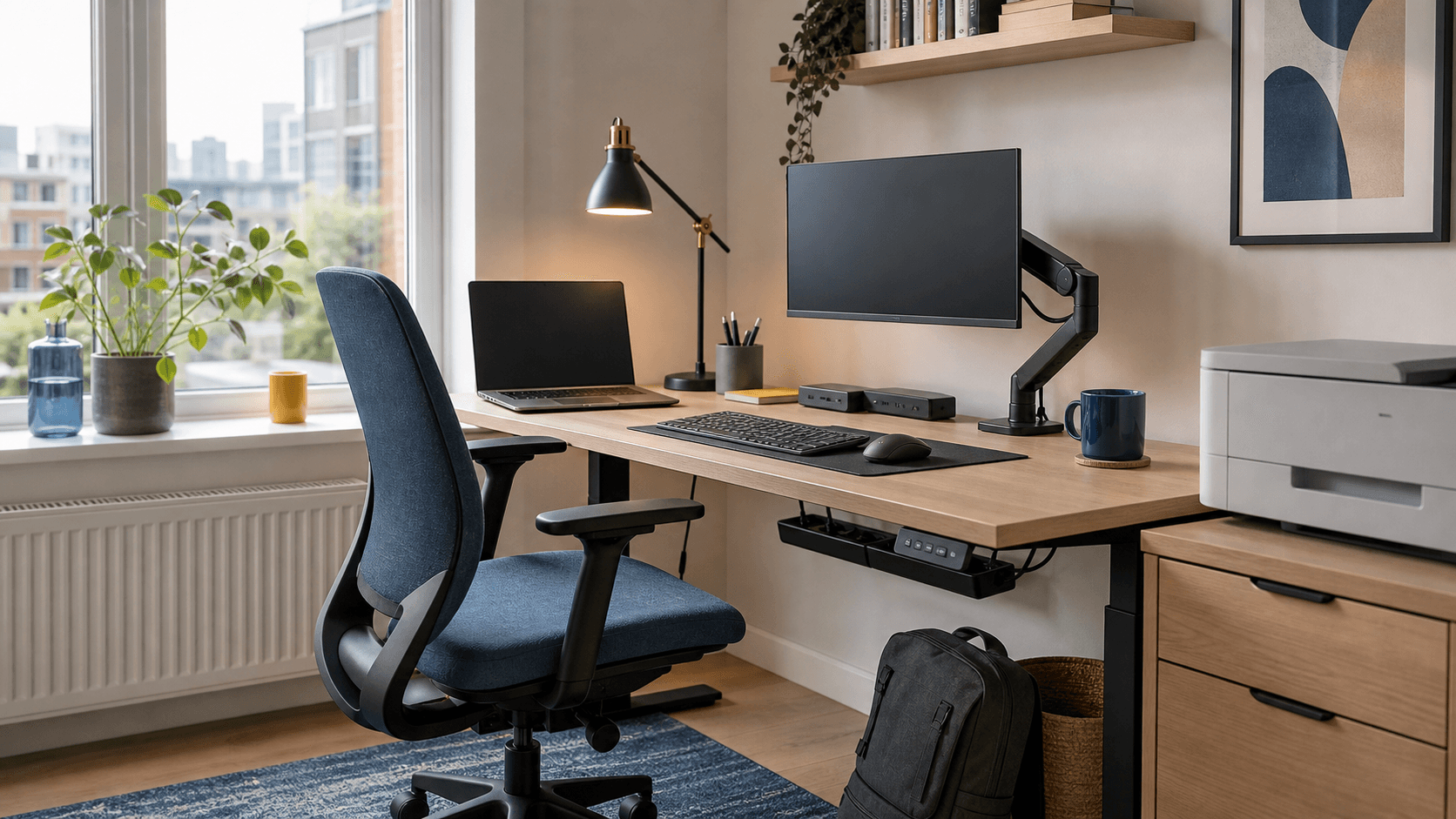
A Canadian monitor purchase starts with the laptop and delivery route
A 27-inch QHD panel can replace a dock only when the Canadian SKU has the required USB-C charging, video input, hub ports, and stand. Winter delivery, dead-pixel terms, and keeping the large box also affect the safer retailer choice.
USB-C wattage must match the laptopA monitor can carry video but still provide too little power for the laptop's normal workload.
Cold delivery needs an inspection planLet a cold display reach room temperature before powering it, then inspect the panel and packaging within the retailer's damage window.
A small desk rewards a flexible standDepth, clamp clearance, swivel, and height range can matter more than a slightly higher refresh rate.
Dead-pixel policies differThe manufacturer warranty and the retailer's exchange policy may use different thresholds and deadlines.
Match the full Canadian model suffix because port layout, included cables, stand, and power delivery can vary by region.
Quick answer
For a Canadian desk, start with USB-C charging power, usable stand depth, Canadian SKU, and the retailer's panel-return policy. A monitor that replaces a dock can save desk space, but only when the laptop supports video over USB-C. The directly comparable models include Acer CB272U E, ASUS ProArt PA278QV and EIZO FlexScan EV2795. For Canada, confirm the exact variant, included accessories, local warranty, and return terms.
Match the monitor to the Canadian SKU
Compare USB-C power, ports, stand adjustment, complete model suffix, Canadian warranty, delivery damage, and opened-monitor returns before CAD price.
- Confirm that the Canadian SKU has the same ports, stand, and USB-C power shown on the official specification page.
- Check whether the retailer's dead-pixel policy differs from its normal electronics return policy.
- Keep the packaging until the panel, stand, ports, and included cables have been inspected.
Where to check
Best Buy Canada / Staples CanadaUseful for local stock, CAD pricing, delivery-damage reporting, warranty details, and retailer-specific dead-pixel returns.
Official Canadian brand storeBest for confirming the complete model suffix, ports, stand, power delivery, included cables, and Canadian warranty.
Cross-border orderAdd currency conversion, import charges, power equipment, warranty territory, and return shipping before comparing the final cost.
Quick brief
All ten picks stay within one directly comparable product class.
Best value ergonomic QHD monitor
Acer CB272U E
Budget-conscious desks that still need a fully adjustable QHD IPS display
Check current price
Best colour work without USB-C
ASUS ProArt PA278QV
Colour-sensitive desktop work that uses conventional video cables rather than USB-C docking.
Check current price
Best premium daisy-chain office display
EIZO FlexScan EV2795
FlexScan EV2795 suits buyers prioritising 27-inch 2560 x 1440 IPS office panel with automatic brightness control
Check current price
Best straightforward 100Hz work display
HP Series 5 Pro 527pq
Office users who want a faster QHD panel without paying for an integrated dock
Check current price
Best conventional business monitor
Lenovo ThinkVision P27q-30
Corporate desks that value a restrained design, ergonomic stand and broad colour coverage
Check current price
Best straightforward QHD option
LG 27QN600-B
Desktop PCs and consoles that need an affordable QHD panel with several video inputs.
Check current price
Best ergonomic office monitor
Philips 275B1/27
Desktop office setups that prioritise stand adjustment and conventional inputs over USB-C docking.
Check current price
Best colour-managed USB-C option
ViewSonic ColorPro VP2756-2K
Photo, design and presentation work that needs a calibrated QHD workspace
Check current price
Best flexible stand
LG 27QN880-B
27QN880-B suits buyers prioritising USB-C 60W · Ergo clamp stand · QHD IPS and USB-C 60W / 27-inch QHD IPS
Check current price
Best simple wide-colour display
Philips 276E8FJAB/27
Fixed desktop setups that want QHD resolution and broad colour coverage at a simpler price.
Check current price
Before you buy
Does the model number and variant match the product in this comparison? Do the dimensions, performance, and included accessories suit the intended use? Are local warranty coverage, box contents, and return terms clear? Keep the serial number and packaging until setup and normal operation are confirmed. Keep the model code and purchase details until fit, setup and condition are confirmed in Canada.
Direct model comparison
The table keeps intended use, key specifications, and the first purchase check side by side.
1. Acer CB272U E
Check current priceSpecs / fit
IPS / 100Hz / QHD
Check first
UM.HB2AA.E05 · IPS · 100Hz
2. ASUS ProArt PA278QV
Check current priceSpecs / fit
USB-C / QHD / IPS
Check first
PA278QV · QHD · IPS
3. EIZO FlexScan EV2795
Check current priceSpecs / fit
USB-C / IPS / built-in safety protection
Check first
EV2795-BK · IPS · USB-C
4. HP Series 5 Pro 527pq
Check current priceSpecs / fit
IPS / 100Hz / built-in safety protection
Check first
9D9S0UT · IPS · 100Hz
5. Lenovo ThinkVision P27q-30
Check current priceSpecs / fit
IPS / 75Hz / built-in safety protection
Check first
P27q-30 · IPS · 75Hz
6. LG 27QN600-B
Check current priceSpecs / fit
USB-C / QHD / IPS
Check first
27QN600-B · QHD · IPS
7. Philips 275B1/27
Check current priceSpecs / fit
USB-C / QHD / IPS
Check first
275B1 + 27 · QHD · IPS
8. ViewSonic ColorPro VP2756-2K
Check current priceSpecs / fit
USB-C / IPS / 60W
Check first
VP2756-2K · IPS · USB-C
9. LG 27QN880-B
Check current priceSpecs / fit
USB-C / QHD / IPS
Check first
27QN880-B · QHD · IPS
10. Philips 276E8FJAB/27
Check current priceSpecs / fit
USB-C / QHD / IPS
Check first
276E8FJAB + 27 · QHD · IPS
Confirm the complete model number, included accessories, and local warranty.
Product notes
Best value ergonomic QHD monitor
1. Acer CB272U E
Source review checked
Budget-conscious desks that still need a fully adjustable QHD IPS display
Today's best routes
Seller route
Check current price
Retail route - CB272U E — Match part UM.HB2AA.E05 to Acer's local support terms / 27-inch QHD IPS productivity monitor / DisplayPort and HDMI with height, swivel, tilt and pivot adjustment. The concrete differentiator is DisplayPort and HDMI with height, swivel, tilt and pivot adjustment.
Warranty / returnCB272U E — Match part UM.HB2AA.E05 to Acer's local support terms / DisplayPort and HDMI with height, swivel, tilt and pivot adjustment / 27-inch QHD IPS productivity monitor. Long-term durability and local service are the main ownership risks.
Where to checkCB272U E — DisplayPort and HDMI with height, swivel, tilt and pivot adjustment / Match part UM.HB2AA.E05 to Acer's local support terms / 27-inch QHD IPS productivity monitor. Check Match part UM.HB2AA.E05 to Acer's local support terms against the way you plan to use it.
Specifications
- Product type
- 27-inch QHD IPS productivity monitor
- Region fit
- CB272U E — Match part UM.HB2AA.E05 to Acer's local support terms / 27-inch QHD IPS productivity monitor / DisplayPort and HDMI with height, swivel, tilt and pivot adjustment. The concrete differentiator is DisplayPort and HDMI with height, swivel, tilt and pivot adjustment.
- Return risk
- CB272U E — DisplayPort and HDMI with height, swivel, tilt and pivot adjustment / Match part UM.HB2AA.E05 to Acer's local support terms / 27-inch QHD IPS productivity monitor. A similar name can hide a different or incompatible version.
- Exact variant
- Acer CB272U E (UM.HB2AA.E05)
- Check first
- UM.HB2AA.E05 · IPS · 100Hz
- Specs / fit
- IPS · 100Hz · QHD
- Review clues
- No USB-C dock Part number varies by market Basic speaker output
- Warranty / return
- CB272U E — Match part UM.HB2AA.E05 to Acer's local support terms / DisplayPort and HDMI with height, swivel, tilt and pivot adjustment / 27-inch QHD IPS productivity monitor. Long-term durability and local service are the main ownership risks.
Buyer notes
CB272U E earns its place on the strength of DisplayPort and HDMI with height, swivel, tilt and pivot adjustment, with Match part UM.HB2AA.E05 to Acer's local support terms / 27-inch QHD IPS productivity monitor deciding whether the trade-off works.
Editor's verdict
CB272U E stands out for DisplayPort and HDMI with height, swivel, tilt and pivot adjustment; Match part UM.HB2AA.E05 to Acer's local support terms / 27-inch QHD IPS productivity monitor is the other useful point of comparison.
Reasons to buy
- 100Hz QHD IPS panel
- Fully adjustable stand
- Integrated speakers
Reasons to avoid
- Skip CB272U E if DisplayPort and HDMI with height, swivel, tilt and pivot adjustment does not suit the intended use. A similar name can hide a different or incompatible version; the concrete differentiator is Match part UM.HB2AA.E05 to Acer's local support terms / 27-inch QHD IPS productivity monitor.
- Skip CB272U E if Match part UM.HB2AA.E05 to Acer's local support terms does not suit the intended use. Included parts and accessories need a model-by-model check; the concrete differentiator is 27-inch 2560 x 1440 IPS panel with up to 100Hz refresh rate / 27-inch QHD IPS productivity monitor.
- Skip CB272U E if 27-inch 2560 x 1440 IPS panel with up to 100Hz refresh rate does not suit the intended use. Long-term durability and local service are the main ownership risks; the concrete differentiator is DisplayPort and HDMI with height, swivel, tilt and pivot adjustment / 27-inch QHD IPS productivity monitor.
What to check
- No USB-C dock
- Part number varies by market
- Basic speaker output
Where to verify
Best colour work without USB-C
2. ASUS ProArt PA278QV
Source review checked
Colour-sensitive desktop work that uses conventional video cables rather than USB-C docking.
Today's best routes
Seller route
Check current price
Retail route - ProArt PA278QV — 100% sRGB · Factory calibrated · Full ergonomic stand / 27-inch QHD IPS productivity monitor / Factory calibrated. The concrete differentiator is Factory calibrated.
Warranty / returnProArt PA278QV — 100% sRGB · Factory calibrated · Full ergonomic stand / Factory calibrated / 27-inch QHD IPS productivity monitor. Long-term durability and local service are the main ownership risks.
Where to checkProArt PA278QV — Factory calibrated / 100% sRGB · Factory calibrated · Full ergonomic stand / 27-inch QHD IPS productivity monitor. Check 100% sRGB · Factory calibrated · Full ergonomic stand against the way you plan to use it.
Specifications
- Product type
- 27-inch QHD IPS productivity monitor
- Region fit
- ProArt PA278QV — 100% sRGB · Factory calibrated · Full ergonomic stand / 27-inch QHD IPS productivity monitor / Factory calibrated. The concrete differentiator is Factory calibrated.
- Return risk
- ProArt PA278QV — Factory calibrated / 100% sRGB · Factory calibrated · Full ergonomic stand / 27-inch QHD IPS productivity monitor. Long-term durability and local service are the main ownership risks.
- Exact variant
- ASUS ProArt PA278QV (PA278QV)
- Check first
- PA278QV · QHD · IPS
- Specs / fit
- QHD · IPS · USB-C
- Review clues
- There is no USB-C connection. The 75Hz ceiling is aimed at work rather than fast gaming. The older connection mix may include ports a modern desk will never use.
- Warranty / return
- ProArt PA278QV — 100% sRGB · Factory calibrated · Full ergonomic stand / Factory calibrated / 27-inch QHD IPS productivity monitor. Long-term durability and local service are the main ownership risks.
Buyer notes
ProArt PA278QV earns its place on the strength of Factory calibrated, with 100% sRGB · Factory calibrated · Full ergonomic stand / 27-inch QHD IPS productivity monitor deciding whether the trade-off works.
Editor's verdict
ProArt PA278QV stands out for Factory calibrated; 100% sRGB · Factory calibrated · Full ergonomic stand / 27-inch QHD IPS productivity monitor is the other useful point of comparison.
Reasons to buy
- Accurate colour
- Excellent stand
- Many video inputs
Reasons to avoid
- No USB-C
- 75Hz maximum
- Older port mix
What to check
- There is no USB-C connection.
- The 75Hz ceiling is aimed at work rather than fast gaming.
- The older connection mix may include ports a modern desk will never use.
Where to verify
Best premium daisy-chain office display
3. EIZO FlexScan EV2795
Source review checked
FlexScan EV2795 suits buyers prioritising 27-inch 2560 x 1440 IPS office panel with automatic brightness control and EV2795-BK / 27-inch QHD IPS productivity monitor.
Today's best routes
Seller route
Check current price
Retail route - FlexScan EV2795 — EV2795-BK / 27-inch QHD IPS productivity monitor / 27-inch 2560 x 1440 IPS office panel with automatic brightness control. The concrete differentiator is 27-inch 2560 x 1440 IPS office panel with automatic brightness control.
Warranty / returnFlexScan EV2795 — EV2795-BK / 27-inch 2560 x 1440 IPS office panel with automatic brightness control / 27-inch QHD IPS productivity monitor. Long-term durability and local service are the main ownership risks.
Where to checkFlexScan EV2795 — 27-inch 2560 x 1440 IPS office panel with automatic brightness control / EV2795-BK / 27-inch QHD IPS productivity monitor. Check EV2795-BK against the way you plan to use it.
Specifications
- Product type
- 27-inch QHD IPS productivity monitor
- Region fit
- FlexScan EV2795 — EV2795-BK / 27-inch QHD IPS productivity monitor / 27-inch 2560 x 1440 IPS office panel with automatic brightness control. The concrete differentiator is 27-inch 2560 x 1440 IPS office panel with automatic brightness control.
- Return risk
- FlexScan EV2795 — 27-inch 2560 x 1440 IPS office panel with automatic brightness control / EV2795-BK / 27-inch QHD IPS productivity monitor. A similar name can hide a different or incompatible version.
- Exact variant
- EIZO FlexScan EV2795 (EV2795-BK)
- Check first
- EV2795-BK · IPS · USB-C
- Specs / fit
- IPS · USB-C · built-in safety protection
- Review clues
- Premium price 60Hz panel Regional colour suffix must match
- Warranty / return
- FlexScan EV2795 — EV2795-BK / 27-inch 2560 x 1440 IPS office panel with automatic brightness control / 27-inch QHD IPS productivity monitor. Long-term durability and local service are the main ownership risks.
Buyer notes
FlexScan EV2795 earns its place on the strength of 27-inch 2560 x 1440 IPS office panel with automatic brightness control, with EV2795-BK / 27-inch QHD IPS productivity monitor deciding whether the trade-off works.
Editor's verdict
FlexScan EV2795 stands out for 27-inch 2560 x 1440 IPS office panel with automatic brightness control; EV2795-BK / 27-inch QHD IPS productivity monitor is the other useful point of comparison.
Reasons to buy
- USB-C and LAN dock
- DisplayPort daisy chain
- Five-year listed warranty
Reasons to avoid
- Skip FlexScan EV2795 if EV2795-BK does not suit the intended use. A similar name can hide a different or incompatible version; the concrete differentiator is IPS / 27-inch QHD IPS productivity monitor.
- Skip FlexScan EV2795 if IPS does not suit the intended use. Included parts and accessories need a model-by-model check; the concrete differentiator is 27-inch 2560 x 1440 IPS office panel with automatic brightness control / 27-inch QHD IPS productivity monitor.
- Skip FlexScan EV2795 if 27-inch 2560 x 1440 IPS office panel with automatic brightness control does not suit the intended use. Long-term durability and local service are the main ownership risks; the concrete differentiator is EV2795-BK / 27-inch QHD IPS productivity monitor.
What to check
- Premium price
- 60Hz panel
- Regional colour suffix must match
Where to verify
Best straightforward 100Hz work display
4. HP Series 5 Pro 527pq
Source review checked
Office users who want a faster QHD panel without paying for an integrated dock
Today's best routes
Seller route
Check current price
Retail route - Series 5 Pro 527pq — DisplayPort and HDMI with height, tilt, swivel and pivot adjustment / 27-inch QHD IPS productivity monitor / 27-inch 2560 x 1440 IPS panel with 100Hz refresh rate and 1500:1 contrast. The concrete differentiator is 27-inch 2560 x 1440 IPS panel with 100Hz refresh rate and 1500:1 contrast.
Warranty / returnSeries 5 Pro 527pq — DisplayPort and HDMI with height, tilt, swivel and pivot adjustment / 27-inch 2560 x 1440 IPS panel with 100Hz refresh rate and 1500:1 contrast / 27-inch QHD IPS productivity monitor. Long-term durability and local service are the main ownership risks.
Where to checkSeries 5 Pro 527pq — 27-inch 2560 x 1440 IPS panel with 100Hz refresh rate and 1500:1 contrast / DisplayPort and HDMI with height, tilt, swivel and pivot adjustment / 27-inch QHD IPS productivity monitor. Check DisplayPort and HDMI with height, tilt, swivel and pivot adjustment against the way you plan to use it.
Specifications
- Product type
- 27-inch QHD IPS productivity monitor
- Region fit
- Series 5 Pro 527pq — DisplayPort and HDMI with height, tilt, swivel and pivot adjustment / 27-inch QHD IPS productivity monitor / 27-inch 2560 x 1440 IPS panel with 100Hz refresh rate and 1500:1 contrast. The concrete differentiator is 27-inch 2560 x 1440 IPS panel with 100Hz refresh rate and 1500:1 contrast.
- Return risk
- Series 5 Pro 527pq — 27-inch 2560 x 1440 IPS panel with 100Hz refresh rate and 1500:1 contrast / DisplayPort and HDMI with height, tilt, swivel and pivot adjustment / 27-inch QHD IPS productivity monitor. A similar name can hide a different or incompatible version.
- Exact variant
- HP Series 5 Pro 527pq (9D9S0UT)
- Check first
- 9D9S0UT · IPS · 100Hz
- Specs / fit
- IPS · 100Hz · built-in safety protection
- Review clues
- No USB-C dock No integrated camera Regional part numbers vary
- Warranty / return
- Series 5 Pro 527pq — DisplayPort and HDMI with height, tilt, swivel and pivot adjustment / 27-inch 2560 x 1440 IPS panel with 100Hz refresh rate and 1500:1 contrast / 27-inch QHD IPS productivity monitor. Long-term durability and local service are the main ownership risks.
Buyer notes
Series 5 Pro 527pq earns its place on the strength of 27-inch 2560 x 1440 IPS panel with 100Hz refresh rate and 1500:1 contrast, with DisplayPort and HDMI with height, tilt, swivel and pivot adjustment / 27-inch QHD IPS productivity monitor deciding whether the trade-off works.
Editor's verdict
The 100Hz IPS panel, 100% sRGB claim and ergonomic stand cover the essentials for a productive desk.
Reasons to buy
- 100Hz refresh rate
- 100% sRGB specification
- Four-way ergonomic stand
Reasons to avoid
- Skip Series 5 Pro 527pq if 27-inch 2560 x 1440 IPS panel with 100Hz refresh rate and 1500:1 contrast does not suit the intended use. A similar name can hide a different or incompatible version; the concrete differentiator is DisplayPort and HDMI with height, tilt, swivel and pivot adjustment / 27-inch QHD IPS productivity monitor.
- Skip Series 5 Pro 527pq if DisplayPort and HDMI with height, tilt, swivel and pivot adjustment does not suit the intended use. Included parts and accessories need a model-by-model check; the concrete differentiator is 9D9S0UT; DisplayPort and HDMI with height, tilt, swivel and pivot adjustment / 27-inch QHD IPS productivity monitor.
- Skip Series 5 Pro 527pq if 9D9S0UT; DisplayPort and HDMI with height, tilt, swivel and pivot adjustment does not suit the intended use. Long-term durability and local service are the main ownership risks; the concrete differentiator is 27-inch 2560 x 1440 IPS panel with 100Hz refresh rate and 1500:1 contrast / 27-inch QHD IPS productivity monitor.
What to check
- No USB-C dock
- No integrated camera
- Regional part numbers vary
Where to verify
Best conventional business monitor
5. Lenovo ThinkVision P27q-30
Source review checked
Corporate desks that value a restrained design, ergonomic stand and broad colour coverage
Today's best routes
Seller route
Check current price
Retail route - ThinkVision P27q-30 — 27-inch 2560 x 1440 IPS panel with up to 75Hz refresh and 350-nit brightness / 27-inch QHD IPS productivity monitor / P27q-30. The concrete differentiator is P27q-30.
Warranty / returnThinkVision P27q-30 — 27-inch 2560 x 1440 IPS panel with up to 75Hz refresh and 350-nit brightness / P27q-30 / 27-inch QHD IPS productivity monitor. Long-term durability and local service are the main ownership risks.
Where to checkThinkVision P27q-30 — P27q-30 / 27-inch 2560 x 1440 IPS panel with up to 75Hz refresh and 350-nit brightness / 27-inch QHD IPS productivity monitor. Check 27-inch 2560 x 1440 IPS panel with up to 75Hz refresh and 350-nit brightness against the way you plan to use it.
Specifications
- Product type
- 27-inch QHD IPS productivity monitor
- Region fit
- ThinkVision P27q-30 — 27-inch 2560 x 1440 IPS panel with up to 75Hz refresh and 350-nit brightness / 27-inch QHD IPS productivity monitor / P27q-30. The concrete differentiator is P27q-30.
- Return risk
- ThinkVision P27q-30 — P27q-30 / 27-inch 2560 x 1440 IPS panel with up to 75Hz refresh and 350-nit brightness / 27-inch QHD IPS productivity monitor. A similar name can hide a different or incompatible version.
- Exact variant
- Lenovo ThinkVision P27q-30 (P27q-30)
- Check first
- P27q-30 · IPS · 75Hz
- Specs / fit
- IPS · 75Hz · built-in safety protection
- Review clues
- 75Hz maximum refresh No USB-C charging Model availability varies by region
- Warranty / return
- ThinkVision P27q-30 — 27-inch 2560 x 1440 IPS panel with up to 75Hz refresh and 350-nit brightness / P27q-30 / 27-inch QHD IPS productivity monitor. Long-term durability and local service are the main ownership risks.
Buyer notes
ThinkVision P27q-30 earns its place on the strength of P27q-30, with 27-inch 2560 x 1440 IPS panel with up to 75Hz refresh and 350-nit brightness / 27-inch QHD IPS productivity monitor deciding whether the trade-off works.
Editor's verdict
ThinkVision P27q-30 stands out for P27q-30; 27-inch 2560 x 1440 IPS panel with up to 75Hz refresh and 350-nit brightness / 27-inch QHD IPS productivity monitor is the other useful point of comparison.
Reasons to buy
- 99% sRGB specification
- Ergonomic stand
- Four-side narrow bezel
Reasons to avoid
- Skip ThinkVision P27q-30 if Check the Lenovo machine type and local warranty attached to P27q-30 does not suit the intended use. A similar name can hide a different or incompatible version; the concrete differentiator is P27q-30 / 27-inch QHD IPS productivity monitor.
- Skip ThinkVision P27q-30 if P27q-30 does not suit the intended use. Included parts and accessories need a model-by-model check; the concrete differentiator is 27-inch 2560 x 1440 IPS panel with up to 75Hz refresh and 350-nit brightness / 27-inch QHD IPS productivity monitor.
- Skip ThinkVision P27q-30 if 27-inch 2560 x 1440 IPS panel with up to 75Hz refresh and 350-nit brightness does not suit the intended use. Long-term durability and local service are the main ownership risks; the concrete differentiator is Check the Lenovo machine type and local warranty attached to P27q-30 / 27-inch QHD IPS productivity monitor.
What to check
- 75Hz maximum refresh
- No USB-C charging
- Model availability varies by region
Where to verify
Best straightforward QHD option
6. LG 27QN600-B
Source review checked
Desktop PCs and consoles that need an affordable QHD panel with several video inputs.
Today's best routes
Seller route
Check current price
Retail route - 27QN600-B — QHD / 27-inch QHD IPS productivity monitor / QHD IPS · 75Hz · 2 HDMI inputs. The concrete differentiator is QHD IPS · 75Hz · 2 HDMI inputs.
Warranty / return27QN600-B — QHD / QHD IPS · 75Hz · 2 HDMI inputs / 27-inch QHD IPS productivity monitor. Long-term durability and local service are the main ownership risks.
Where to check27QN600-B — QHD IPS · 75Hz · 2 HDMI inputs / QHD / 27-inch QHD IPS productivity monitor. Check QHD against the way you plan to use it.
Specifications
- Product type
- 27-inch QHD IPS productivity monitor
- Region fit
- 27QN600-B — QHD / 27-inch QHD IPS productivity monitor / QHD IPS · 75Hz · 2 HDMI inputs. The concrete differentiator is QHD IPS · 75Hz · 2 HDMI inputs.
- Return risk
- 27QN600-B — QHD IPS · 75Hz · 2 HDMI inputs / QHD / 27-inch QHD IPS productivity monitor. Long-term durability and local service are the main ownership risks.
- Exact variant
- LG 27QN600-B (27QN600-B)
- Check first
- 27QN600-B · QHD · IPS
- Specs / fit
- QHD · IPS · USB-C
- Review clues
- There is no USB-C input or laptop charging. The included stand only tilts. A monitor arm adds cost if height adjustment is needed.
- Warranty / return
- 27QN600-B — QHD / QHD IPS · 75Hz · 2 HDMI inputs / 27-inch QHD IPS productivity monitor. Long-term durability and local service are the main ownership risks.
Buyer notes
27QN600-B earns its place on the strength of QHD IPS · 75Hz · 2 HDMI inputs, with QHD / 27-inch QHD IPS productivity monitor deciding whether the trade-off works.
Editor's verdict
It keeps the core QHD IPS display and two HDMI inputs without charging for USB-C or a complex stand.
Reasons to buy
- Simple connection set
- Good pixel density
- Two HDMI ports
Reasons to avoid
- No USB-C
- Tilt-only stand
- No USB hub
What to check
- There is no USB-C input or laptop charging.
- The included stand only tilts.
- A monitor arm adds cost if height adjustment is needed.
Where to verify
Product infoLG 27QN600-B product page
Best ergonomic office monitor
7. Philips 275B1/27
Source review checked
Desktop office setups that prioritise stand adjustment and conventional inputs over USB-C docking.
Today's best routes
Seller route
Check current price
Retail route - 275B1/27 — PowerSensor / 27-inch QHD IPS productivity monitor / Full ergonomic stand. The concrete differentiator is Full ergonomic stand.
Warranty / return275B1/27 — PowerSensor / Full ergonomic stand / 27-inch QHD IPS productivity monitor. Long-term durability and local service are the main ownership risks.
Where to check275B1/27 — Full ergonomic stand / PowerSensor / 27-inch QHD IPS productivity monitor. Check PowerSensor against the way you plan to use it.
Specifications
- Product type
- 27-inch QHD IPS productivity monitor
- Region fit
- 275B1/27 — PowerSensor / 27-inch QHD IPS productivity monitor / Full ergonomic stand. The concrete differentiator is Full ergonomic stand.
- Return risk
- 275B1/27 — Full ergonomic stand / PowerSensor / 27-inch QHD IPS productivity monitor. Long-term durability and local service are the main ownership risks.
- Exact variant
- Philips 275B1/27 (275B1/27)
- Check first
- 275B1/27 · QHD · IPS
- Specs / fit
- QHD · IPS · USB-C
- Review clues
- There is no USB-C input or laptop charging. The PowerSensor benefit depends on seating position and calibration. The connection set includes DVI rather than newer docking features.
- Warranty / return
- 275B1/27 — PowerSensor / Full ergonomic stand / 27-inch QHD IPS productivity monitor. Long-term durability and local service are the main ownership risks.
Buyer notes
275B1/27 earns its place on the strength of Full ergonomic stand, with PowerSensor / 27-inch QHD IPS productivity monitor deciding whether the trade-off works.
Editor's verdict
The fully adjustable stand and PowerSensor suit a fixed office desk where USB-C charging is not required.
Reasons to buy
- Wide adjustment range
- Useful office sensor
- Several conventional inputs
Reasons to avoid
- No USB-C
- 75Hz maximum
- Older connection mix
What to check
- There is no USB-C input or laptop charging.
- The PowerSensor benefit depends on seating position and calibration.
- The connection set includes DVI rather than newer docking features.
Where to verify
Best colour-managed USB-C option
8. ViewSonic ColorPro VP2756-2K
Source review checked
Photo, design and presentation work that needs a calibrated QHD workspace
Today's best routes
Seller route
Check current price
Retail route - ColorPro VP2756-2K — 27-inch 2560 x 1440 IPS panel with factory colour calibration / 27-inch QHD IPS productivity monitor / VP2756-2K. The concrete differentiator is VP2756-2K.
Warranty / returnColorPro VP2756-2K — 27-inch 2560 x 1440 IPS panel with factory colour calibration / VP2756-2K / 27-inch QHD IPS productivity monitor. Long-term durability and local service are the main ownership risks.
Where to checkColorPro VP2756-2K — VP2756-2K / 27-inch 2560 x 1440 IPS panel with factory colour calibration / 27-inch QHD IPS productivity monitor. Check 27-inch 2560 x 1440 IPS panel with factory colour calibration against the way you plan to use it.
Specifications
- Product type
- 27-inch QHD IPS productivity monitor
- Region fit
- ColorPro VP2756-2K — 27-inch 2560 x 1440 IPS panel with factory colour calibration / 27-inch QHD IPS productivity monitor / VP2756-2K. The concrete differentiator is VP2756-2K.
- Return risk
- ColorPro VP2756-2K — VP2756-2K / 27-inch 2560 x 1440 IPS panel with factory colour calibration / 27-inch QHD IPS productivity monitor. Long-term durability and local service are the main ownership risks.
- Exact variant
- ViewSonic ColorPro VP2756-2K (VP2756-2K)
- Check first
- VP2756-2K · IPS · USB-C
- Specs / fit
- IPS · USB-C · 60W
- Review clues
- 60Hz refresh rate Premium colour-management price Laptop charging headroom is limited to 60W
- Warranty / return
- ColorPro VP2756-2K — 27-inch 2560 x 1440 IPS panel with factory colour calibration / VP2756-2K / 27-inch QHD IPS productivity monitor. Long-term durability and local service are the main ownership risks.
Buyer notes
ColorPro VP2756-2K earns its place on the strength of VP2756-2K, with 27-inch 2560 x 1440 IPS panel with factory colour calibration / 27-inch QHD IPS productivity monitor deciding whether the trade-off works.
Editor's verdict
ColorPro VP2756-2K stands out for VP2756-2K; 27-inch 2560 x 1440 IPS panel with factory colour calibration / 27-inch QHD IPS productivity monitor is the other useful point of comparison.
Reasons to buy
- Factory calibration
- USB-C 60W delivery
- DisplayPort daisy chain
Reasons to avoid
- Skip ColorPro VP2756-2K if Check ViewSonic's regional warranty for VP2756-2K does not suit the intended use. Long-term durability and local service are the main ownership risks; the concrete differentiator is VP2756-2K / 27-inch QHD IPS productivity monitor.
- Skip ColorPro VP2756-2K if VP2756-2K does not suit the intended use. A similar name can hide a different or incompatible version; the concrete differentiator is 27-inch 2560 x 1440 IPS panel with factory colour calibration / 27-inch QHD IPS productivity monitor.
- Skip ColorPro VP2756-2K if 27-inch 2560 x 1440 IPS panel with factory colour calibration does not suit the intended use. Included parts and accessories need a model-by-model check; the concrete differentiator is Check ViewSonic's regional warranty for VP2756-2K / 27-inch QHD IPS productivity monitor.
What to check
- ColorPro VP2756-2K — 27-inch 2560 x 1440 IPS panel with factory colour calibration: Included parts and accessories need a model-by-model check; check Check ViewSonic's regional warranty for VP2756-2K / VP2756-2K / 27-inch QHD IPS productivity monitor against the way you plan to use it.
- ColorPro VP2756-2K — Check ViewSonic's regional warranty for VP2756-2K: Long-term durability and local service are the main ownership risks; check 27-inch 2560 x 1440 IPS panel with factory colour calibration / 27-inch QHD IPS productivity monitor against the way you plan to use it.
- ColorPro VP2756-2K — VP2756-2K: A similar name can hide a different or incompatible version; check 27-inch 2560 x 1440 IPS panel with factory colour calibration / 27-inch QHD IPS productivity monitor against the way you plan to use it.
Where to verify
Best flexible stand
9. LG 27QN880-B
Source review checked
27QN880-B suits buyers prioritising USB-C 60W · Ergo clamp stand · QHD IPS and USB-C 60W / 27-inch QHD IPS productivity monitor.
Today's best routes
Seller route
Check current price
Retail route - 27QN880-B — USB-C 60W / 27-inch QHD IPS productivity monitor / USB-C 60W · Ergo clamp stand · QHD IPS. The concrete differentiator is USB-C 60W · Ergo clamp stand · QHD IPS.
Warranty / return27QN880-B — USB-C 60W / USB-C 60W · Ergo clamp stand · QHD IPS / 27-inch QHD IPS productivity monitor. Long-term durability and local service are the main ownership risks.
Where to check27QN880-B — USB-C 60W · Ergo clamp stand · QHD IPS / USB-C 60W / 27-inch QHD IPS productivity monitor. Check USB-C 60W against the way you plan to use it.
Specifications
- Product type
- 27-inch QHD IPS productivity monitor
- Region fit
- 27QN880-B — USB-C 60W / 27-inch QHD IPS productivity monitor / USB-C 60W · Ergo clamp stand · QHD IPS. The concrete differentiator is USB-C 60W · Ergo clamp stand · QHD IPS.
- Return risk
- 27QN880-B — USB-C 60W · Ergo clamp stand · QHD IPS / USB-C 60W / 27-inch QHD IPS productivity monitor. Long-term durability and local service are the main ownership risks.
- Exact variant
- LG 27QN880-B (27QN880-B)
- Check first
- 27QN880-B · QHD · IPS
- Specs / fit
- QHD · IPS · USB-C
- Review clues
- The clamp needs clear space at the back edge of the desk. 60W USB-C may be insufficient for high-power laptops. It is not supplied with a conventional desktop stand.
- Warranty / return
- 27QN880-B — USB-C 60W / USB-C 60W · Ergo clamp stand · QHD IPS / 27-inch QHD IPS productivity monitor. Long-term durability and local service are the main ownership risks.
Buyer notes
27QN880-B earns its place on the strength of USB-C 60W · Ergo clamp stand · QHD IPS, with USB-C 60W / 27-inch QHD IPS productivity monitor deciding whether the trade-off works.
Editor's verdict
27QN880-B stands out for USB-C 60W · Ergo clamp stand · QHD IPS; USB-C 60W / 27-inch QHD IPS productivity monitor is the other useful point of comparison.
Reasons to buy
- Excellent positioning range
- One-cable laptop setup
- Frees desk space
Reasons to avoid
- Clamp-fit limits
- Only 60W charging
- No normal stand
What to check
- 27QN880-B — USB-C 60W · Ergo clamp stand · QHD IPS: Included parts and accessories need a model-by-model check; check 27-inch QHD IPS productivity monitor against the way you plan to use it.
- 27QN880-B — USB-C 60W: Long-term durability and local service are the main ownership risks; check Ergo clamp stand / 27-inch QHD IPS productivity monitor against the way you plan to use it.
- 27QN880-B — Ergo clamp stand: A similar name can hide a different or incompatible version; check USB-C 60W / 27-inch QHD IPS productivity monitor against the way you plan to use it.
Where to verify
Product infoLG 27QN880-B product page
Best simple wide-colour display
10. Philips 276E8FJAB/27
Source review checked
Fixed desktop setups that want QHD resolution and broad colour coverage at a simpler price.
Today's best routes
Seller route
Check current price
Retail route - 276E8FJAB/27 — IPS / 27-inch QHD IPS productivity monitor / QHD. The concrete differentiator is QHD.
Warranty / return276E8FJAB/27 — IPS / QHD / 27-inch QHD IPS productivity monitor. Long-term durability and local service are the main ownership risks.
Where to check276E8FJAB/27 — QHD / IPS / 27-inch QHD IPS productivity monitor. Check IPS against the way you plan to use it.
Specifications
- Product type
- 27-inch QHD IPS productivity monitor
- Region fit
- 276E8FJAB/27 — IPS / 27-inch QHD IPS productivity monitor / QHD. The concrete differentiator is QHD.
- Return risk
- 276E8FJAB/27 — QHD / IPS / 27-inch QHD IPS productivity monitor. Long-term durability and local service are the main ownership risks.
- Exact variant
- Philips 276E8FJAB/27 (276E8FJAB/27)
- Check first
- 276E8FJAB/27 · QHD · IPS
- Specs / fit
- QHD · IPS · USB-C
- Review clues
- The included stand offers limited adjustment. There is no USB-C input or USB hub. The 60Hz refresh rate is the lowest in this group.
- Warranty / return
- 276E8FJAB/27 — IPS / QHD / 27-inch QHD IPS productivity monitor. Long-term durability and local service are the main ownership risks.
Buyer notes
276E8FJAB/27 earns its place on the strength of QHD, with IPS / 27-inch QHD IPS productivity monitor deciding whether the trade-off works.
Editor's verdict
It is a clear basic comparison point for buyers who want QHD and strong colour without paying for docking features.
Reasons to buy
- Sharp QHD panel
- Broad colour claim
- Simple connections
Reasons to avoid
- 60Hz only
- No USB-C
- Limited stand
What to check
- The included stand offers limited adjustment.
- There is no USB-C input or USB hub.
- The 60Hz refresh rate is the lowest in this group.
Where to verify
Top 3 picks
#1 Best value ergonomic QHD monitor - Acer CB272U E
CB272U E earns its place on the strength of DisplayPort and HDMI with height, swivel, tilt and pivot adjustment, with Match part UM.HB2AA.E05 to Acer's local support terms / 27-inch QHD IPS productivity monitor deciding whether the trade-off works.
#2 Best colour work without USB-C - ASUS ProArt PA278QV
ProArt PA278QV earns its place on the strength of Factory calibrated, with 100% sRGB · Factory calibrated · Full ergonomic stand / 27-inch QHD IPS productivity monitor deciding whether the trade-off works.
#3 Best premium daisy-chain office display - EIZO FlexScan EV2795
FlexScan EV2795 earns its place on the strength of 27-inch 2560 x 1440 IPS office panel with automatic brightness control, with EV2795-BK / 27-inch QHD IPS productivity monitor deciding whether the trade-off works.
Final thoughts
Choose for the actual use case rather than the largest single number on the specification sheet.
A different model suffix can change features, compatibility, and warranty coverage.
When specifications are close, included accessories, service, and returns decide the better buy.
For Canada, favour the locally supported configuration that matches the intended workload with clear local support and a workable return policy.
Direct model comparison
The table keeps intended use, key specifications, and the first purchase check side by side. Confirm the complete model number, included accessories, and local warranty. Check the exact electrical configuration, box contents, installation needs and replacement-part availability. Compare the exact model and included items, then account for currency conversion, duties, brokerage and returns.
Before you buy
- Does the model number and variant match the product in this comparison?
- Do the dimensions, performance, and included accessories suit the intended use?
- Are local warranty coverage, box contents, and return terms clear?
FAQ
+Which buyer gets the better match from Acer CB272U E rather than ASUS ProArt PA278QV?
Acer CB272U E is listed with IPS / 100Hz, while ASUS ProArt PA278QV is listed with QHD / IPS. CB272U E stands out for DisplayPort and HDMI with height, swivel, tilt and pivot adjustment; Match part UM.HB2AA.E05 to Acer's local support terms / 27-inch QHD IPS productivity monitor is the other useful point of comparison. Skip ProArt PA278QV if Factory calibrated / 100% sRGB · Factory calibrated · Full ergonomic stand / 27-inch QHD IPS productivity monitor does not suit the intended use. Included parts and accessories need a model-by-model check. For a Canadian desk, start with USB-C charging power, usable stand depth, Canadian SKU, and the retailer's panel-return policy.
+What trade-off comes with IPS / USB-C on EIZO FlexScan EV2795?
For EIZO FlexScan EV2795, start by checking that IPS / USB-C matches the intended use. FlexScan EV2795 suits buyers prioritising 27-inch 2560 x 1440 IPS office panel with automatic brightness control and EV2795-BK / 27-inch QHD IPS productivity monitor. Series 5 Pro 527pq earns its place on the strength of 27-inch 2560 x 1440 IPS panel with 100Hz refresh rate and 1500:1 contrast, with DisplayPort and HDMI with height, tilt, swivel and pivot adjustment / 27-inch QHD IPS productivity monitor deciding whether the trade-off works. A basic QHD monitor handles screen space.
+Which 27-inch QHD IPS productivity monitor specification is easiest to misread in Canada?
Keep the exact model details for Acer CB272U E and ASUS ProArt PA278QV with the selected offer. ThinkVision P27q-30 — 27-inch 2560 x 1440 IPS panel with up to 75Hz refresh and 350-nit brightness / P27q-30 / 27-inch QHD IPS productivity monitor. Long-term durability and local service are the main ownership risks. 27QN600-B — QHD IPS · 75Hz · 2 HDMI inputs / QHD / 27-inch QHD IPS productivity monitor. Check QHD against the way you plan to use it. The 27-inch QHD IPS productivity monitor offer, warranty and returns must all fit the Canada market. Check stand footprint and screen depth before ordering, then plan to inspect packaging and let a cold-delivered panel reach room temperature before use.
About the author

Julia Meyer
Office & Study Editor
Julia Meyer covers reader fit, product class, and practical buying use cases for Office & Study Briefs. Julia Meyer looks for the everyday details that decide whether a Office & Study product fits: ergonomics, desk fit, lighting, work routine.
See all Briefs by Julia Meyer