UK Brief
100W GaN charger trend 2026: 10 exact multi-port models compared
High-output GaN chargers can look interchangeable until several devices are connected. The useful differences are how each exact model shares power, how many USB-C ports it provides, and whether its wall, desktop, cable, or travel format fits the setup.

By Lena FosterLast updated 2026-07-11
Some price links may be affiliate links.
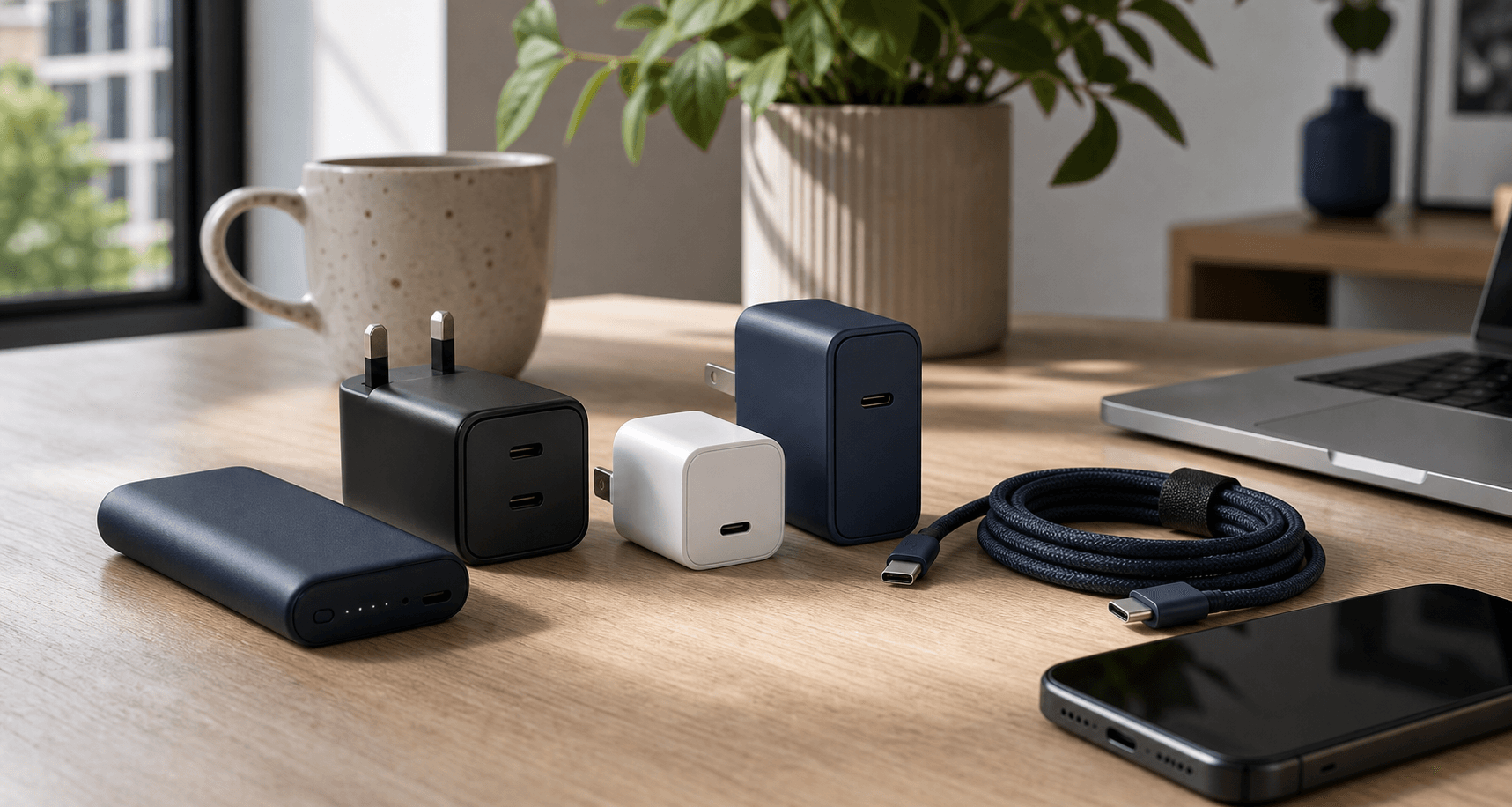
Why 100W GaN chargers are easy to miscompare
A 100W or 140W badge does not tell you how a charger behaves with several devices connected. Port count, power sharing, cable rating, plug format, and protocol support decide whether one unit can genuinely replace the laptop, phone, and tablet chargers in a bag.
Total output is sharedA charger that reaches 100W on one USB-C port may divide that power very differently when a second or third device is connected.
Port layout changes daily useThree USB-C ports suit newer devices, while two USB-A ports can be more useful for older watches, headphones, lights, and cables.
High-power cables matterA 100W-rated or E-Marker cable is required for the highest laptop outputs, and charging above 100W needs the right PD 3.1 cable and device.
Wall, desktop, and travel formats differA compact wall plug saves bag space, a cabled desktop charger improves reach, and interchangeable tips are useful only when the same charger travels between socket systems.
Every charger and image is matched to the exact manufacturer model page cited in its product note.
Quick answer
For a laptop-led setup, choose a charger that preserves enough output on the primary USB-C port while the phone and accessories are connected. Then decide whether more USB-C ports, a desktop cable, a built-in cable, a live display, or travel tips make the model easier to use. The directly comparable models include Anker 736 Charger (Nano II 100W), Hama GaN Fast Charger 100W Black and UGREEN Nexode 100W 4-Port. For UK, confirm the exact variant, included accessories, local warranty, and return terms.
What to compare before price
Start with the laptop's required output, then compare exact model number, USB-C count, per-port power, multi-device power sharing, cable rating, UK plug fit, warranty, and returns.
- Check the power table for the exact combination of ports you will use together.
- Count USB-C and USB-A separately rather than treating every four-port charger as equivalent.
- Match the complete identifier before comparing retailer listings or colour variants.
Where to check
ManufacturerBest for confirming the exact model number, port layout, power distribution, supplied plug fittings, cable requirements, and warranty.
Currys / John LewisUseful when local collection and a familiar return counter matter more than the broadest model selection.
Amazon UKMatch the full identifier and seller before buying because visually similar wattages and older revisions can share a listing family.
Travel specialistsWorth comparing for models supplied with genuine UK, EU, US, or ANZ tips rather than adding a loose socket adapter later.
Quick brief
All ten picks stay within one directly comparable product class.
Best older Anker alternative
Anker 736 Charger (Nano II 100W)
Buyers who find the established Nano II model below the newer Prime charger's price.
Check current price
Best black Hama reference
Hama GaN Fast Charger 100W Black
Buyers comparing the established black Hama layout against the newer white mini version.
Check current price
Best four-port mixed-device option
UGREEN Nexode 100W 4-Port
Desks and travel kits that still include one USB-A cable alongside three USB-C devices.
Check current price
Best lower-cost three-port option
Baseus EnerFill FE11 3-Port USB-C Fast Charger 100W
EnerFill FE11 3-Port USB-C Fast Charger 100W suits buyers prioritising P10182101123-00 and USB-C / 100W-class
Check current price
Best compact four-port design
Native Union Fast GaN Charger PD 100W
Buyers who want four ports in a narrow wall charger and need Samsung PPS support alongside laptop charging.
Check current price
Best all-USB-C layout
Satechi 100W USB-C PD Compact GaN Charger
A modern Apple or PC setup that has moved away from USB-A and wants three USB-C sockets.
Check current price
Best charger with a display
SHARGE Pixel 100 GaN Charger US White
Pixel 100 GaN Charger US White suits buyers prioritising 100W and 100 W / 100W-class multi-port USB-C GaN wall charger.
Check current price
Best rugged-brand alternative
UAG SRGE US 100W 3-Port Wall Charger
Buyers who want a straightforward 2C1A wall charger from UAG's SRGE accessory line.
Check current price
Best compact white Hama model
Hama GaN Mini Charger 100W White
GaN Mini Charger 100W White suits buyers prioritising 2 USB-C plus 1 USB-A; 100W class; exact model; plug; power
Check current price
Best single-device value
Anker Nano Charger 100W with USB-C Cable
Buyers who only need to charge one USB-C laptop or tablet and want the correct 100W cable included.
Check current price
Before you buy
Does the model number and variant match the product in this comparison? Do the dimensions, performance, and included accessories suit the intended use? Are local warranty coverage, box contents, and return terms clear? Keep the serial number and supplied charging parts, and follow the maker's storage guidance. Keep the model code and purchase details until fit, setup and condition are confirmed in the UK.
Direct model comparison
The table keeps intended use, key specifications, and the first purchase check side by side.
1. Anker 736 Charger (Nano II 100W)
Check current priceSpecs / fit
USB-C / 100W / multiple connection ports
Check first
A2145313 · 100W · USB-C
2. Hama GaN Fast Charger 100W Black
Check current priceSpecs / fit
USB-C / 100W / multiple connection ports
Check first
00201962 · 100W · USB-C
3. UGREEN Nexode 100W 4-Port
Check current priceSpecs / fit
USB-C / 100W / PPS
Check first
40747 · 100W · USB-C
4. Baseus EnerFill FE11 3-Port USB-C Fast Charger 100W
Check current priceSpecs / fit
USB-C / 100W / 240V
Check first
P10182101123-00 · USB-C · 100W
5. Native Union Fast GaN Charger PD 100W
Check current priceSpecs / fit
USB-C / 100W / 65W
Check first
Fast GaN Charger PD 100W ·
6. Satechi 100W USB-C PD Compact GaN Charger
Check current priceSpecs / fit
USB-C / 100W / USB-C PD
Check first
ST-TC100GM · 100W · USB-C PD
7. SHARGE Pixel 100 GaN Charger US White
Check current priceSpecs / fit
USB-C / 100W / 240V
Check first
Pixel 100 GaN Charger US
8. UAG SRGE US 100W 3-Port Wall Charger
Check current priceSpecs / fit
USB-C / 100W / 240V
Check first
9B443211V4040 · 100W · USB-C
9. Hama GaN Mini Charger 100W White
Check current priceSpecs / fit
USB-C / 100W / multiple connection ports
Check first
00201997 · 100W · USB-C
10. Anker Nano Charger 100W with USB-C Cable
Check current priceSpecs / fit
USB-C / 100W / 240V
Check first
A2679 · 100W · USB-C
Confirm the complete model number, included accessories, and local warranty.
Product notes
Best older Anker alternative
1. Anker 736 Charger (Nano II 100W)
Source review checked
Buyers who find the established Nano II model below the newer Prime charger's price.
Today's best routes
Seller route
Check current price
Retail route - 736 Charger (Nano II 100W) — GaN charger / 100W-class multi-port USB-C GaN wall charger / 2 USB-C plus 1 USB-A; 100W class. The concrete differentiator is 2 USB-C plus 1 USB-A; 100W class.
Warranty / return736 Charger (Nano II 100W) — GaN charger / 2 USB-C plus 1 USB-A; 100W class / 100W-class multi-port USB-C GaN wall charger. Long-term durability and local service are the main ownership risks.
Where to check736 Charger (Nano II 100W) — 2 USB-C plus 1 USB-A; 100W class / GaN charger / 100W-class multi-port USB-C GaN wall charger. Check GaN charger against the way you plan to use it.
Specifications
- Product type
- 100W-class multi-port USB-C GaN wall charger
- Region fit
- 736 Charger (Nano II 100W) — GaN charger / 100W-class multi-port USB-C GaN wall charger / 2 USB-C plus 1 USB-A; 100W class. The concrete differentiator is 2 USB-C plus 1 USB-A; 100W class.
- Return risk
- 736 Charger (Nano II 100W) — 2 USB-C plus 1 USB-A; 100W class / GaN charger / 100W-class multi-port USB-C GaN wall charger. Long-term durability and local service are the main ownership risks.
- Exact variant
- Anker 736 Charger (Nano II 100W) (A2145313)
- Check first
- A2145313 · 100W · USB-C
- Specs / fit
- 100W · USB-C · multiple connection ports
- Review clues
- Similar Anker 736 listings can carry different regional plugs. Maximum output changes when multiple devices are attached. A high-output USB-C cable is required for laptop charging.
- Warranty / return
- 736 Charger (Nano II 100W) — GaN charger / 2 USB-C plus 1 USB-A; 100W class / 100W-class multi-port USB-C GaN wall charger. Long-term durability and local service are the main ownership risks.
Buyer notes
736 Charger (Nano II 100W) earns its place on the strength of 2 USB-C plus 1 USB-A; 100W class, with GaN charger / 100W-class multi-port USB-C GaN wall charger deciding whether the trade-off works.
Editor's verdict
736 Charger (Nano II 100W) stands out for 2 USB-C plus 1 USB-A; 100W class; GaN charger / 100W-class multi-port USB-C GaN wall charger is the other useful point of comparison.
Reasons to buy
- 736 Charger (Nano II 100W) — 2 USB-C plus 1 USB-A; 100W class; exact model; plug; power sharing. The concrete differentiator is 2 USB-C plus 1 USB-A; 100W class / 100W-class multi-port USB-C GaN wall charger.
- 736 Charger (Nano II 100W) — 2 USB-C plus 1 USB-A; 100W class. The concrete differentiator is GaN charger / 100W-class multi-port USB-C GaN wall charger.
- 736 Charger (Nano II 100W) — GaN charger. The concrete differentiator is 2 USB-C plus 1 USB-A; 100W class; exact model; plug; power sharing / 100W-class multi-port USB-C GaN wall charger.
Reasons to avoid
- Older generation
- Regional plug variants
- Shared output under load
What to check
- 736 Charger (Nano II 100W) — 2 USB-C plus 1 USB-A; 100W class; exact model; plug; power sharing: Power, charging or battery behaviour depends on the exact version; check GaN charger / 100W-class multi-port USB-C GaN wall charger against the way you plan to use it.
- 736 Charger (Nano II 100W) — 2 USB-C plus 1 USB-A; 100W class: Long-term durability and local service are the main ownership risks; check GaN charger / 100W-class multi-port USB-C GaN wall charger against the way you plan to use it.
- 736 Charger (Nano II 100W) — GaN charger: A similar name can hide a different or incompatible version; check 2 USB-C plus 1 USB-A; 100W class; exact model; plug; power sharing / 2 USB-C plus 1 USB-A; 100W class / 100W-class multi-port USB-C GaN wall charger against the way you plan to use it.
Where to verify
Best black Hama reference
2. Hama GaN Fast Charger 100W Black
Source review checked
Buyers comparing the established black Hama layout against the newer white mini version.
Today's best routes
Seller route
Check current price
Retail route - GaN Fast Charger 100W Black — 2 USB-C plus 1 USB-A; 100W class; exact model; plug; power sharing / 100W-class multi-port USB-C GaN wall charger / GaN charger. The concrete differentiator is GaN charger.
Warranty / returnGaN Fast Charger 100W Black — 2 USB-C plus 1 USB-A; 100W class; exact model; plug; power sharing / GaN charger / 100W-class multi-port USB-C GaN wall charger. Long-term durability and local service are the main ownership risks.
Where to checkGaN Fast Charger 100W Black — GaN charger / 2 USB-C plus 1 USB-A; 100W class; exact model; plug; power sharing / 100W-class multi-port USB-C GaN wall charger. Check 2 USB-C plus 1 USB-A; 100W class; exact model; plug; power sharing against the way you plan to use it.
Specifications
- Product type
- 100W-class multi-port USB-C GaN wall charger
- Region fit
- GaN Fast Charger 100W Black — 2 USB-C plus 1 USB-A; 100W class; exact model; plug; power sharing / 100W-class multi-port USB-C GaN wall charger / GaN charger. The concrete differentiator is GaN charger.
- Return risk
- GaN Fast Charger 100W Black — GaN charger / 2 USB-C plus 1 USB-A; 100W class; exact model; plug; power sharing / 100W-class multi-port USB-C GaN wall charger. Long-term durability and local service are the main ownership risks.
- Exact variant
- Hama GaN Fast Charger 100W Black (00201962)
- Check first
- 00201962 · 100W · USB-C
- Specs / fit
- 100W · USB-C · multiple connection ports
- Review clues
- Match article number 00201962 because Hama names are very similar. The available output changes with port combinations. Confirm the listing uses the correct regional mains plug.
- Warranty / return
- GaN Fast Charger 100W Black — 2 USB-C plus 1 USB-A; 100W class; exact model; plug; power sharing / GaN charger / 100W-class multi-port USB-C GaN wall charger. Long-term durability and local service are the main ownership risks.
Buyer notes
GaN Fast Charger 100W Black earns its place on the strength of GaN charger, with 2 USB-C plus 1 USB-A; 100W class; exact model; plug; power sharing / 100W-class multi-port USB-C GaN wall charger deciding whether the trade-off works.
Editor's verdict
GaN Fast Charger 100W Black stands out for GaN charger; 2 USB-C plus 1 USB-A; 100W class; exact model; plug; power sharing / 100W-class multi-port USB-C GaN wall charger is the other useful point of comparison.
Reasons to buy
- Three mixed ports
- 100W-class charging
- Exact 00201962 identity
Reasons to avoid
- Older body design
- Shared power allocation
- Easy to confuse with 00201997
What to check
- Match article number 00201962 because Hama names are very similar.
- The available output changes with port combinations.
- Confirm the listing uses the correct regional mains plug.
Where to verify
Best four-port mixed-device option
3. UGREEN Nexode 100W 4-Port
Source review checked
Desks and travel kits that still include one USB-A cable alongside three USB-C devices.
Today's best routes
Seller route
Check current price
Retail route - Nexode 100W 4-Port — 3 USB-C plus 1 USB-A; 100W class / 100W-class multi-port USB-C GaN wall charger / 3 USB-C plus 1 USB-A; 100W class; exact model; plug; power sharing. The concrete differentiator is 3 USB-C plus 1 USB-A; 100W class; exact model; plug; power sharing.
Warranty / returnNexode 100W 4-Port — 3 USB-C plus 1 USB-A; 100W class / 3 USB-C plus 1 USB-A; 100W class; exact model; plug; power sharing / 100W-class multi-port USB-C GaN wall charger. Long-term durability and local service are the main ownership risks.
Where to checkNexode 100W 4-Port — 3 USB-C plus 1 USB-A; 100W class; exact model; plug; power sharing / 3 USB-C plus 1 USB-A; 100W class / 100W-class multi-port USB-C GaN wall charger. Check 3 USB-C plus 1 USB-A; 100W class against the way you plan to use it.
Specifications
- Product type
- 100W-class multi-port USB-C GaN wall charger
- Region fit
- Nexode 100W 4-Port — 3 USB-C plus 1 USB-A; 100W class / 100W-class multi-port USB-C GaN wall charger / 3 USB-C plus 1 USB-A; 100W class; exact model; plug; power sharing. The concrete differentiator is 3 USB-C plus 1 USB-A; 100W class; exact model; plug; power sharing.
- Return risk
- Nexode 100W 4-Port — 3 USB-C plus 1 USB-A; 100W class; exact model; plug; power sharing / 3 USB-C plus 1 USB-A; 100W class / 100W-class multi-port USB-C GaN wall charger. Long-term durability and local service are the main ownership risks.
- Exact variant
- UGREEN Nexode 100W 4-Port (40747)
- Check first
- 40747 · 100W · USB-C
- Specs / fit
- 100W · USB-C · PPS
- Review clues
- Four connected devices split the available power more aggressively. The body is larger than the Nexode Pro three-port model. Match SKU 40747 rather than a lower-output Nexode variant.
- Warranty / return
- Nexode 100W 4-Port — 3 USB-C plus 1 USB-A; 100W class / 3 USB-C plus 1 USB-A; 100W class; exact model; plug; power sharing / 100W-class multi-port USB-C GaN wall charger. Long-term durability and local service are the main ownership risks.
Buyer notes
Nexode 100W 4-Port earns its place on the strength of 3 USB-C plus 1 USB-A; 100W class; exact model; plug; power sharing, with 3 USB-C plus 1 USB-A; 100W class / 100W-class multi-port USB-C GaN wall charger deciding whether the trade-off works.
Editor's verdict
Four ports give the Nexode 40747 the broadest everyday cable mix without leaving the 100W class.
Reasons to buy
- Four charging ports
- Three USB-C sockets
- USB-A compatibility
Reasons to avoid
- Larger body
- Complex power sharing
- Easy to confuse with other Nexode wattages
What to check
- Nexode 100W 4-Port — 3 USB-C plus 1 USB-A; 100W class; exact model; plug; power sharing: Power, charging or battery behaviour depends on the exact version; check GaN charger / 100W-class multi-port USB-C GaN wall charger against the way you plan to use it.
- Nexode 100W 4-Port — 3 USB-C plus 1 USB-A; 100W class: Long-term durability and local service are the main ownership risks; check GaN charger / 100W-class multi-port USB-C GaN wall charger against the way you plan to use it.
- Nexode 100W 4-Port — GaN charger: A similar name can hide a different or incompatible version; check 3 USB-C plus 1 USB-A; 100W class; exact model; plug; power sharing / 3 USB-C plus 1 USB-A; 100W class / 100W-class multi-port USB-C GaN wall charger against the way you plan to use it.
Where to verify
Best lower-cost three-port option
4. Baseus EnerFill FE11 3-Port USB-C Fast Charger 100W
Source review checked
EnerFill FE11 3-Port USB-C Fast Charger 100W suits buyers prioritising P10182101123-00 and USB-C / 100W-class multi-port USB-C GaN wall charger.
Today's best routes
Seller route
Check current price
Retail route - EnerFill FE11 3-Port USB-C Fast Charger 100W — USB-C / 100W-class multi-port USB-C GaN wall charger / P10182101123-00. The concrete differentiator is P10182101123-00.
Warranty / returnEnerFill FE11 3-Port USB-C Fast Charger 100W — USB-C / P10182101123-00 / 100W-class multi-port USB-C GaN wall charger. Long-term durability and local service are the main ownership risks.
Where to checkEnerFill FE11 3-Port USB-C Fast Charger 100W — P10182101123-00 / USB-C / 100W-class multi-port USB-C GaN wall charger. Check USB-C against the way you plan to use it.
Specifications
- Product type
- 100W-class multi-port USB-C GaN wall charger
- Region fit
- EnerFill FE11 3-Port USB-C Fast Charger 100W — USB-C / 100W-class multi-port USB-C GaN wall charger / P10182101123-00. The concrete differentiator is P10182101123-00.
- Return risk
- EnerFill FE11 3-Port USB-C Fast Charger 100W — P10182101123-00 / USB-C / 100W-class multi-port USB-C GaN wall charger. A similar name can hide a different or incompatible version.
- Exact variant
- Baseus EnerFill FE11 3-Port USB-C Fast Charger 100W (P10182101123-00)
- Check first
- P10182101123-00 · USB-C · 100W
- Specs / fit
- USB-C · 100W · 240V
- Review clues
- The product specification lists a 100W ceiling but gives less detail on every multi-port split than some rivals. Confirm whether the chosen package includes a 5A USB-C cable. Match the full FE11 SKU because Baseus sells several similar 100W generations.
- Warranty / return
- EnerFill FE11 3-Port USB-C Fast Charger 100W — USB-C / P10182101123-00 / 100W-class multi-port USB-C GaN wall charger. Long-term durability and local service are the main ownership risks.
Buyer notes
EnerFill FE11 3-Port USB-C Fast Charger 100W earns its place on the strength of P10182101123-00, with USB-C / 100W-class multi-port USB-C GaN wall charger deciding whether the trade-off works.
Editor's verdict
P10182101123-00 provides a current exact Baseus model with two USB-C ports, one USB-A port, and a 100W ceiling instead of relying on an old generic GaN listing.
Reasons to buy
- Current exact FE11 SKU
- Three useful ports
- Compact folding design
Reasons to avoid
- Less detailed split table
- Cable bundle may vary
- Similar Baseus names
What to check
- EnerFill FE11 3-Port USB-C Fast Charger 100W — 2 USB-C plus 1 USB-A: Power, charging or battery behaviour depends on the exact version; check P10182101123-00 / 100W-class multi-port USB-C GaN wall charger against the way you plan to use it.
- EnerFill FE11 3-Port USB-C Fast Charger 100W — P10182101123-00: A similar name can hide a different or incompatible version; check USB-C / 2 USB-C plus 1 USB-A / 100W-class multi-port USB-C GaN wall charger against the way you plan to use it.
- EnerFill FE11 3-Port USB-C Fast Charger 100W — USB-C: Long-term durability and local service are the main ownership risks; check P10182101123-00 against the way you plan to use it.
Best compact four-port design
5. Native Union Fast GaN Charger PD 100W
Source review checked
Buyers who want four ports in a narrow wall charger and need Samsung PPS support alongside laptop charging.
Today's best routes
Seller route
Check current price
Retail route - Fast GaN Charger PD 100W — 3 USB-C plus 1 USB-A / 100W-class multi-port USB-C GaN wall charger / 100W. The concrete differentiator is 100W.
Warranty / returnFast GaN Charger PD 100W — 3 USB-C plus 1 USB-A / 100W / 100W-class multi-port USB-C GaN wall charger. Long-term durability and local service are the main ownership risks.
Where to checkFast GaN Charger PD 100W — 100W / 3 USB-C plus 1 USB-A / 100W-class multi-port USB-C GaN wall charger. Check 3 USB-C plus 1 USB-A against the way you plan to use it.
Specifications
- Product type
- 100W-class multi-port USB-C GaN wall charger
- Region fit
- Fast GaN Charger PD 100W — 3 USB-C plus 1 USB-A / 100W-class multi-port USB-C GaN wall charger / 100W. The concrete differentiator is 100W.
- Return risk
- Fast GaN Charger PD 100W — 100W / 3 USB-C plus 1 USB-A / 100W-class multi-port USB-C GaN wall charger. A similar name can hide a different or incompatible version.
- Exact variant
- Native Union Fast GaN Charger PD 100W (Fast GaN Charger PD 100W)
- Check first
- Fast GaN Charger PD 100W · 100W · USB-C
- Specs / fit
- 100W · USB-C · 65W
- Review clues
- The US/CA variant must be selected instead of the EU plug option. Four-port output depends on the exact combination of occupied sockets. The product page lists the charger without USB-C cables.
- Warranty / return
- Fast GaN Charger PD 100W — 3 USB-C plus 1 USB-A / 100W / 100W-class multi-port USB-C GaN wall charger. Long-term durability and local service are the main ownership risks.
Buyer notes
Fast GaN Charger PD 100W earns its place on the strength of 100W, with 3 USB-C plus 1 USB-A / 100W-class multi-port USB-C GaN wall charger deciding whether the trade-off works.
Editor's verdict
Fast GaN Charger PD 100W stands out for 100W; 3 USB-C plus 1 USB-A / 100W-class multi-port USB-C GaN wall charger is the other useful point of comparison.
Reasons to buy
- Four-port 3C1A layout
- 65W/30W dual split
- PD 3.1 and PPS
Reasons to avoid
- Skip Fast GaN Charger PD 100W if 2.40 x 1.26 x 2.36 in; 6.70 oz does not suit the intended use. A similar name can hide a different or incompatible version; the concrete differentiator is 100W / 100W-class multi-port USB-C GaN wall charger.
- Skip Fast GaN Charger PD 100W if 100W does not suit the intended use. Long-term durability and local service are the main ownership risks; the concrete differentiator is 3 USB-C plus 1 USB-A / 100W-class multi-port USB-C GaN wall charger.
- Skip Fast GaN Charger PD 100W if 3 USB-C plus 1 USB-A does not suit the intended use. Power, charging or battery behaviour depends on the exact version; the concrete differentiator is 2.40 x 1.26 x 2.36 in; 6.70 oz / 100W-class multi-port USB-C GaN wall charger.
What to check
- The US/CA variant must be selected instead of the EU plug option.
- Four-port output depends on the exact combination of occupied sockets.
- The product page lists the charger without USB-C cables.
Best all-USB-C layout
6. Satechi 100W USB-C PD Compact GaN Charger
Source review checked
A modern Apple or PC setup that has moved away from USB-A and wants three USB-C sockets.
Today's best routes
Seller route
Check current price
Retail route - 100W USB-C PD Compact GaN Charger — ST-TC100GM / 100W-class multi-port USB-C GaN wall charger / USB-C. The concrete differentiator is USB-C.
Warranty / return100W USB-C PD Compact GaN Charger — ST-TC100GM / USB-C / 100W-class multi-port USB-C GaN wall charger. Long-term durability and local service are the main ownership risks.
Where to check100W USB-C PD Compact GaN Charger — USB-C / ST-TC100GM / 100W-class multi-port USB-C GaN wall charger. Check ST-TC100GM against the way you plan to use it.
Specifications
- Product type
- 100W-class multi-port USB-C GaN wall charger
- Region fit
- 100W USB-C PD Compact GaN Charger — ST-TC100GM / 100W-class multi-port USB-C GaN wall charger / USB-C. The concrete differentiator is USB-C.
- Return risk
- 100W USB-C PD Compact GaN Charger — USB-C / ST-TC100GM / 100W-class multi-port USB-C GaN wall charger. A similar name can hide a different or incompatible version.
- Exact variant
- Satechi 100W USB-C PD Compact GaN Charger (ST-TC100GM)
- Check first
- ST-TC100GM · 100W · USB-C PD
- Specs / fit
- 100W · USB-C PD · USB-C
- Review clues
- The US model is ST-TC100GM; AU, EU, and UK suffixes use different plugs. Three-device charging does not provide 100W to every port. No charging cable is included with the charger-only package.
- Warranty / return
- 100W USB-C PD Compact GaN Charger — ST-TC100GM / USB-C / 100W-class multi-port USB-C GaN wall charger. Long-term durability and local service are the main ownership risks.
Buyer notes
100W USB-C PD Compact GaN Charger earns its place on the strength of USB-C, with ST-TC100GM / 100W-class multi-port USB-C GaN wall charger deciding whether the trade-off works.
Editor's verdict
ST-TC100GM keeps every port USB-C, so none of the charger face is reserved for a legacy cable that may never be used.
Reasons to buy
- Three USB-C ports
- Clear US SKU
- Two-year listed warranty
Reasons to avoid
- Skip 100W USB-C PD Compact GaN Charger if ST-TC100GM does not suit the intended use. A similar name can hide a different or incompatible version; the concrete differentiator is 100W / 100W-class multi-port USB-C GaN wall charger.
- Skip 100W USB-C PD Compact GaN Charger if 100W does not suit the intended use. Long-term durability and local service are the main ownership risks; the concrete differentiator is USB-C / 100W-class multi-port USB-C GaN wall charger.
- Skip 100W USB-C PD Compact GaN Charger if USB-C does not suit the intended use. Power, charging or battery behaviour depends on the exact version; the concrete differentiator is ST-TC100GM / 100W-class multi-port USB-C GaN wall charger.
What to check
- 100W USB-C PD Compact GaN Charger — USB-C: Power, charging or battery behaviour depends on the exact version; check ST-TC100GM / 100W against the way you plan to use it.
- 100W USB-C PD Compact GaN Charger — ST-TC100GM: A similar name can hide a different or incompatible version; check 100W / USB-C / 100W-class multi-port USB-C GaN wall charger against the way you plan to use it.
- 100W USB-C PD Compact GaN Charger — 100W: Long-term durability and local service are the main ownership risks; check USB-C / ST-TC100GM against the way you plan to use it.
Best charger with a display
7. SHARGE Pixel 100 GaN Charger US White
Source review checked
Pixel 100 GaN Charger US White suits buyers prioritising 100W and 100 W / 100W-class multi-port USB-C GaN wall charger.
Today's best routes
Seller route
Check current price
Retail route - Pixel 100 GaN Charger US White — 100 W / 100W-class multi-port USB-C GaN wall charger / 100W. The concrete differentiator is 100W.
Warranty / returnPixel 100 GaN Charger US White — 100 W / 100W / 100W-class multi-port USB-C GaN wall charger. Long-term durability and local service are the main ownership risks.
Where to checkPixel 100 GaN Charger US White — 100W / 100 W / 100W-class multi-port USB-C GaN wall charger. Check 100 W against the way you plan to use it.
Specifications
- Product type
- 100W-class multi-port USB-C GaN wall charger
- Region fit
- Pixel 100 GaN Charger US White — 100 W / 100W-class multi-port USB-C GaN wall charger / 100W. The concrete differentiator is 100W.
- Return risk
- Pixel 100 GaN Charger US White — 100W / 100 W / 100W-class multi-port USB-C GaN wall charger. A similar name can hide a different or incompatible version.
- Exact variant
- SHARGE Pixel 100 GaN Charger US White (Pixel 100 GaN Charger US White)
- Check first
- Pixel 100 GaN Charger US White · 100W · USB-C
- Specs / fit
- 100W · USB-C · 240V
- Review clues
- The same page sells 67W, 100W, and 140W models, so the Pixel 100 US selection must be explicit. Display features do not remove the need to understand multi-port power allocation. Match the full white US SKU rather than relying on the Pixel name alone.
- Warranty / return
- Pixel 100 GaN Charger US White — 100 W / 100W / 100W-class multi-port USB-C GaN wall charger. Long-term durability and local service are the main ownership risks.
Buyer notes
Pixel 100 GaN Charger US White earns its place on the strength of 100W, with 100 W / 100W-class multi-port USB-C GaN wall charger deciding whether the trade-off works.
Editor's verdict
Pixel 100 GaN Charger US White stands out for 100W; 100 W / 100W-class multi-port USB-C GaN wall charger is the other useful point of comparison.
Reasons to buy
- Dot-matrix display
- Exact US 100W SKU
- Foldable plug
Reasons to avoid
- Many page variants
- Display adds complexity
- Three ports only
What to check
- Pixel 100 GaN Charger US White — 3 charging ports: Power, charging or battery behaviour depends on the exact version; check 100W / 100 W / 100W-class multi-port USB-C GaN wall charger against the way you plan to use it.
- Pixel 100 GaN Charger US White — 100W: A similar name can hide a different or incompatible version; check 100 W / 3 charging ports against the way you plan to use it.
- Pixel 100 GaN Charger US White — 100 W: Long-term durability and local service are the main ownership risks; check 3 charging ports / 100W / 100W-class multi-port USB-C GaN wall charger against the way you plan to use it.
Best rugged-brand alternative
8. UAG SRGE US 100W 3-Port Wall Charger
Source review checked
Buyers who want a straightforward 2C1A wall charger from UAG's SRGE accessory line.
Today's best routes
Seller route
Check current price
Retail route - SRGE US 100W 3-Port Wall Charger — 2 USB-C plus 1 USB-A / 100W-class multi-port USB-C GaN wall charger / 100W. The concrete differentiator is 100W.
Warranty / returnSRGE US 100W 3-Port Wall Charger — 2 USB-C plus 1 USB-A / 100W / 100W-class multi-port USB-C GaN wall charger. Long-term durability and local service are the main ownership risks.
Where to checkSRGE US 100W 3-Port Wall Charger — 100W / 2 USB-C plus 1 USB-A / 100W-class multi-port USB-C GaN wall charger. Check 2 USB-C plus 1 USB-A against the way you plan to use it.
Specifications
- Product type
- 100W-class multi-port USB-C GaN wall charger
- Region fit
- SRGE US 100W 3-Port Wall Charger — 2 USB-C plus 1 USB-A / 100W-class multi-port USB-C GaN wall charger / 100W. The concrete differentiator is 100W.
- Return risk
- SRGE US 100W 3-Port Wall Charger — 100W / 2 USB-C plus 1 USB-A / 100W-class multi-port USB-C GaN wall charger. A similar name can hide a different or incompatible version.
- Exact variant
- UAG SRGE US 100W 3-Port Wall Charger (9B443211V4040)
- Check first
- 9B443211V4040 · 100W · USB-C
- Specs / fit
- 100W · USB-C · 240V
- Review clues
- Confirm the US model because SRGE chargers are sold with regional plug variants. The headline 100W is shared when more than one port is occupied. No USB-C cable is included in the charger-only package.
- Warranty / return
- SRGE US 100W 3-Port Wall Charger — 2 USB-C plus 1 USB-A / 100W / 100W-class multi-port USB-C GaN wall charger. Long-term durability and local service are the main ownership risks.
Buyer notes
SRGE US 100W 3-Port Wall Charger earns its place on the strength of 100W, with 2 USB-C plus 1 USB-A / 100W-class multi-port USB-C GaN wall charger deciding whether the trade-off works.
Editor's verdict
SRGE US 100W 3-Port Wall Charger stands out for 100W; 2 USB-C plus 1 USB-A / 100W-class multi-port USB-C GaN wall charger is the other useful point of comparison.
Reasons to buy
- Exact US SKU
- 2C1A layout
- Foldable compact body
Reasons to avoid
- No cable included
- Shared output
- Limited split detail
What to check
- SRGE US 100W 3-Port Wall Charger — 2 USB-C plus 1 USB-A: Power, charging or battery behaviour depends on the exact version; check 9B443211V4040 / 100W / 100W-class multi-port USB-C GaN wall charger against the way you plan to use it.
- SRGE US 100W 3-Port Wall Charger — 9B443211V4040: A similar name can hide a different or incompatible version; check 100W / 2 USB-C plus 1 USB-A / 100W-class multi-port USB-C GaN wall charger against the way you plan to use it.
- SRGE US 100W 3-Port Wall Charger — 100W: Long-term durability and local service are the main ownership risks; check 2 USB-C plus 1 USB-A / 9B443211V4040 against the way you plan to use it.
Best compact white Hama model
9. Hama GaN Mini Charger 100W White
Source review checked
GaN Mini Charger 100W White suits buyers prioritising 2 USB-C plus 1 USB-A; 100W class; exact model; plug; power sharing and 2 USB-C plus 1 USB-A; 100W class / 100W-class multi-port USB-C GaN wall charger.
Today's best routes
Seller route
Check current price
Retail route - GaN Mini Charger 100W White — 2 USB-C plus 1 USB-A; 100W class / 100W-class multi-port USB-C GaN wall charger / 2 USB-C plus 1 USB-A; 100W class; exact model; plug; power sharing. The concrete differentiator is 2 USB-C plus 1 USB-A; 100W class; exact model; plug; power sharing.
Warranty / returnGaN Mini Charger 100W White — 2 USB-C plus 1 USB-A; 100W class / 2 USB-C plus 1 USB-A; 100W class; exact model; plug; power sharing / 100W-class multi-port USB-C GaN wall charger. Long-term durability and local service are the main ownership risks.
Where to checkGaN Mini Charger 100W White — 2 USB-C plus 1 USB-A; 100W class; exact model; plug; power sharing / 2 USB-C plus 1 USB-A; 100W class / 100W-class multi-port USB-C GaN wall charger. Check 2 USB-C plus 1 USB-A; 100W class against the way you plan to use it.
Specifications
- Product type
- 100W-class multi-port USB-C GaN wall charger
- Region fit
- GaN Mini Charger 100W White — 2 USB-C plus 1 USB-A; 100W class / 100W-class multi-port USB-C GaN wall charger / 2 USB-C plus 1 USB-A; 100W class; exact model; plug; power sharing. The concrete differentiator is 2 USB-C plus 1 USB-A; 100W class; exact model; plug; power sharing.
- Return risk
- GaN Mini Charger 100W White — 2 USB-C plus 1 USB-A; 100W class; exact model; plug; power sharing / 2 USB-C plus 1 USB-A; 100W class / 100W-class multi-port USB-C GaN wall charger. Long-term durability and local service are the main ownership risks.
- Exact variant
- Hama GaN Mini Charger 100W White (00201997)
- Check first
- 00201997 · 100W · USB-C
- Specs / fit
- 100W · USB-C · multiple connection ports
- Review clues
- Match article number 00201997, not only the product colour. Three connected devices share the power budget. Check plug clearance next to adjacent sockets.
- Warranty / return
- GaN Mini Charger 100W White — 2 USB-C plus 1 USB-A; 100W class / 2 USB-C plus 1 USB-A; 100W class; exact model; plug; power sharing / 100W-class multi-port USB-C GaN wall charger. Long-term durability and local service are the main ownership risks.
Buyer notes
GaN Mini Charger 100W White earns its place on the strength of 2 USB-C plus 1 USB-A; 100W class; exact model; plug; power sharing, with 2 USB-C plus 1 USB-A; 100W class / 100W-class multi-port USB-C GaN wall charger deciding whether the trade-off works.
Editor's verdict
Article 00201997 gives the white mini body a precise identity within Hama's similar 100W range.
Reasons to buy
- Compact wall body
- Mixed USB-C and USB-A ports
- Exact article number
Reasons to avoid
- Three ports only
- Shared output
- Colour can distract from model identity
What to check
- Match article number 00201997, not only the product colour.
- Three connected devices share the power budget.
- Check plug clearance next to adjacent sockets.
Where to verify
Best single-device value
10. Anker Nano Charger 100W with USB-C Cable
Source review checked
Buyers who only need to charge one USB-C laptop or tablet and want the correct 100W cable included.
Today's best routes
Seller route
Check current price
Retail route - Nano Charger 100W with USB-C Cable — A2679 / 100W-class multi-port USB-C GaN wall charger / 2.36 x 1.61 x 1.14 in; 4.23 oz. The concrete differentiator is 2.36 x 1.61 x 1.14 in; 4.23 oz.
Warranty / returnNano Charger 100W with USB-C Cable — A2679 / 2.36 x 1.61 x 1.14 in; 4.23 oz / 100W-class multi-port USB-C GaN wall charger. Long-term durability and local service are the main ownership risks.
Where to checkNano Charger 100W with USB-C Cable — 2.36 x 1.61 x 1.14 in; 4.23 oz / A2679 / 100W-class multi-port USB-C GaN wall charger. Check A2679 against the way you plan to use it.
Specifications
- Product type
- 100W-class multi-port USB-C GaN wall charger
- Region fit
- Nano Charger 100W with USB-C Cable — A2679 / 100W-class multi-port USB-C GaN wall charger / 2.36 x 1.61 x 1.14 in; 4.23 oz. The concrete differentiator is 2.36 x 1.61 x 1.14 in; 4.23 oz.
- Return risk
- Nano Charger 100W with USB-C Cable — 2.36 x 1.61 x 1.14 in; 4.23 oz / A2679 / 100W-class multi-port USB-C GaN wall charger. Long-term durability and local service are the main ownership risks.
- Exact variant
- Anker Nano Charger 100W with USB-C Cable (A2679)
- Check first
- A2679 · 100W · USB-C
- Specs / fit
- 100W · USB-C · 240V
- Review clues
- There is no second port for a phone or accessory. The included cable is useful, but the connected laptop still decides how much power it accepts. Match A2679 rather than similarly named lower-watt Nano chargers.
- Warranty / return
- Nano Charger 100W with USB-C Cable — A2679 / 2.36 x 1.61 x 1.14 in; 4.23 oz / 100W-class multi-port USB-C GaN wall charger. Long-term durability and local service are the main ownership risks.
Buyer notes
Nano Charger 100W with USB-C Cable earns its place on the strength of 2.36 x 1.61 x 1.14 in; 4.23 oz, with A2679 / 100W-class multi-port USB-C GaN wall charger deciding whether the trade-off works.
Editor's verdict
Nano Charger 100W with USB-C Cable stands out for 2.36 x 1.61 x 1.14 in; 4.23 oz; A2679 / 100W-class multi-port USB-C GaN wall charger is the other useful point of comparison.
Reasons to buy
- Nano Charger 100W with USB-C Cable — USB-C. The concrete differentiator is 2.36 x 1.61 x 1.14 in; 4.23 oz / 100W-class multi-port USB-C GaN wall charger.
- Nano Charger 100W with USB-C Cable — 2.36 x 1.61 x 1.14 in; 4.23 oz. The concrete differentiator is A2679 / 100W-class multi-port USB-C GaN wall charger.
- Nano Charger 100W with USB-C Cable — A2679. The concrete differentiator is USB-C / 100W-class multi-port USB-C GaN wall charger.
Reasons to avoid
- Single port only
- No USB-A support
- Less flexible for shared desks
What to check
- Nano Charger 100W with USB-C Cable — USB-C: Power, charging or battery behaviour depends on the exact version; check 2.36 x 1.61 x 1.14 in; 4.23 oz / A2679 against the way you plan to use it.
- Nano Charger 100W with USB-C Cable — 2.36 x 1.61 x 1.14 in; 4.23 oz: Long-term durability and local service are the main ownership risks; check A2679 / USB-C / 100W-class multi-port USB-C GaN wall charger against the way you plan to use it.
- Nano Charger 100W with USB-C Cable — A2679: A similar name can hide a different or incompatible version; check USB-C / 2.36 x 1.61 x 1.14 in; 4.23 oz / 100W-class multi-port USB-C GaN wall charger against the way you plan to use it.
Top 3 picks
#1 Best older Anker alternative - Anker 736 Charger (Nano II 100W)
736 Charger (Nano II 100W) earns its place on the strength of 2 USB-C plus 1 USB-A; 100W class, with GaN charger / 100W-class multi-port USB-C GaN wall charger deciding whether the trade-off works.
#2 Best black Hama reference - Hama GaN Fast Charger 100W Black
GaN Fast Charger 100W Black earns its place on the strength of GaN charger, with 2 USB-C plus 1 USB-A; 100W class; exact model; plug; power sharing / 100W-class multi-port USB-C GaN wall charger deciding whether the trade-off works.
#3 Best four-port mixed-device option - UGREEN Nexode 100W 4-Port
Nexode 100W 4-Port earns its place on the strength of 3 USB-C plus 1 USB-A; 100W class; exact model; plug; power sharing, with 3 USB-C plus 1 USB-A; 100W class / 100W-class multi-port USB-C GaN wall charger deciding whether the trade-off works.
Final thoughts
Choose for the actual use case rather than the largest single number on the specification sheet.
A different model suffix can change features, compatibility, and warranty coverage.
When specifications are close, included accessories, service, and returns decide the better buy.
For the UK, favour the compatible model with suitable runtime and supported charging parts with clear local support and a workable return policy.
Direct model comparison
The table keeps intended use, key specifications, and the first purchase check side by side. Confirm the complete model number, included accessories, and local warranty. Check the exact battery or charging specification, included cable or charger, app or platform support and replacement availability. Compare the exact model and included items, then account for delivery, collection and return carriage.
Before you buy
- Does the model number and variant match the product in this comparison?
- Do the dimensions, performance, and included accessories suit the intended use?
- Are local warranty coverage, box contents, and return terms clear?
FAQ
+Which buyer gets the better match from Anker 736 Charger (Nano II 100W) rather than Hama GaN Fast Charger 100W Black?
Anker 736 Charger (Nano II 100W) is listed with USB-C / 100W, while Hama GaN Fast Charger 100W Black is listed with USB-C / 100W. 736 Charger (Nano II 100W) stands out for 2 USB-C plus 1 USB-A; 100W class; GaN charger / 100W-class multi-port USB-C GaN wall charger is the other useful point of comparison. Choose 00201997 when its smaller body or newer listing has better local support at a similar price. For a laptop-led setup, choose a charger that preserves enough output on the primary USB-C port while the phone and accessories are connected.
+What trade-off comes with USB-C / 100W on UGREEN Nexode 100W 4-Port?
For UGREEN Nexode 100W 4-Port, start by checking that USB-C / 100W matches the intended use. Desks and travel kits that still include one USB-A cable alongside three USB-C devices. EnerFill FE11 3-Port USB-C Fast Charger 100W earns its place on the strength of P10182101123-00, with USB-C / 100W-class multi-port USB-C GaN wall charger deciding whether the trade-off works. A 140W charger can serve one demanding laptop better, while a well-specified 100W model may be the cleaner choice for a laptop, phone, and headphones.
+Which 100W-class multi-port USB-C GaN wall charger specification is easiest to misread in UK?
Keep the exact model details for Anker 736 Charger (Nano II 100W) and Hama GaN Fast Charger 100W Black with the selected offer. Fast GaN Charger PD 100W — 3 USB-C plus 1 USB-A / 100W / 100W-class multi-port USB-C GaN wall charger. Long-term durability and local service are the main ownership risks. 100W USB-C PD Compact GaN Charger — USB-C / ST-TC100GM / 100W-class multi-port USB-C GaN wall charger. Check ST-TC100GM against the way you plan to use it. The 100W-class multi-port USB-C GaN wall charger offer, warranty and returns must all fit the UK market. Wall chargers are compact, but heavier models can pull on a loose socket.
About the author

Lena Foster
Electronics Editor
Lena Foster covers reader fit, product class, and practical buying use cases for Electronics Briefs. Lena Foster looks for the everyday details that decide whether a Electronics product fits: wattage claim, protocol support, cable fit, device compatibility.
See all Briefs by Lena Foster